The Stop the Timer Game is a five-round browser timing challenge that shows every target interval before the clock starts and awards exactly 200 points for any whole-millisecond stop inside the visible window. You press Start, watch the digits count up, and press Stop while the displayed value sits between the announced lower and upper bounds. Both edges are inclusive, so a stop exactly on the boundary counts as a hit, and any stop outside earns zero. With five rounds in the run and one fixed center per round, a perfect game totals exactly 1,000 points and no more. The targets are not random: every round shows a number you can read at a glance, the scoring rule is a single deterministic check, and the only thing the player brings is the timing of one button press. That structure is what makes the game a transparent timing drill rather than a hidden test of reflex or reaction speed.
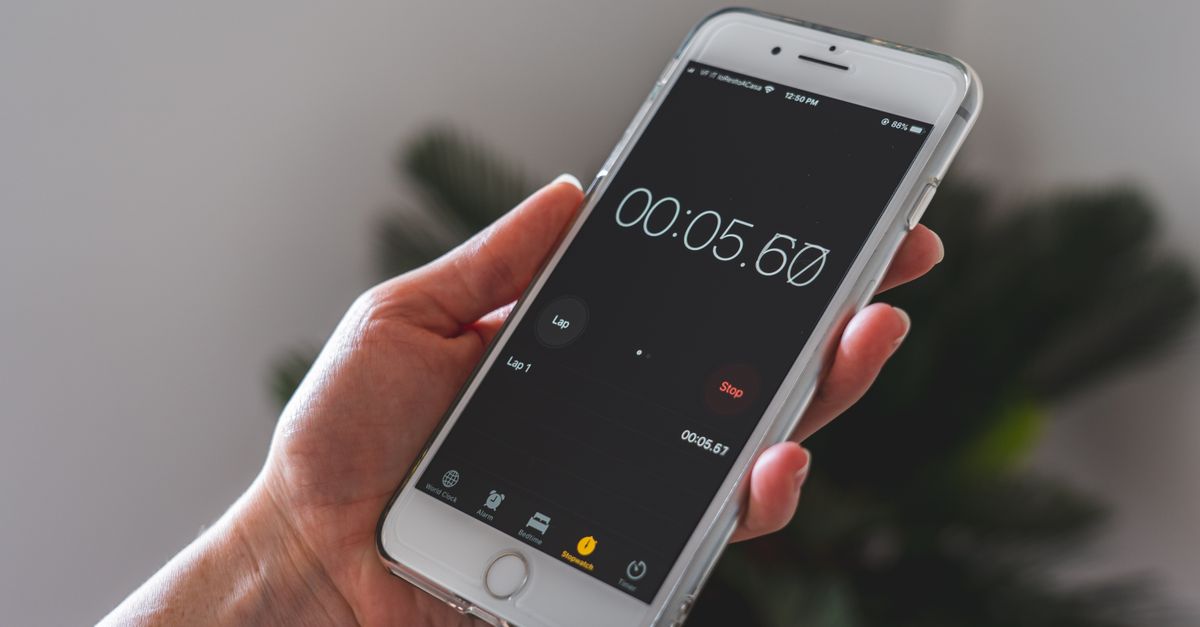
How the Game Shows Its Targets Before the Clock Starts
Each round of the Stop the Clock Game opens with a visible target interval printed on screen. You see a center value, a lower bound, and an upper bound before anything begins. The center is the ideal stop time and the two bounds are 100 milliseconds earlier and 100 milliseconds later, forming a 200-millisecond inclusive window. The interval does not change while the timer is running, so your job is purely to read the window once and then press Stop when the live digits fall inside it.
This visible-window design is the core difference from most stop-the-timer games, where the target is hidden and the player has to estimate an unmarked second. Here there is nothing to estimate. You are told where the window is, the live counter shows where you are, and the only decision is when to lift your finger or release the space bar. The scoring function compares a single whole-millisecond value to the announced interval and returns hit or miss — nothing else enters the calculation.
The Five Fixed Targets and Their Windows
The run always contains five rounds in the same order, and each round has a fixed center measured in milliseconds from the moment Start is pressed. The targets are 1500, 2250, 3000, 3750, and 4500 milliseconds, which is 1.5, 2.25, 3.0, 3.75, and 4.5 seconds. Every window is exactly 100 milliseconds wider on each side, so the inclusive run for the third round is 2.900 through 3.100 seconds.
| Round | Center | Inclusive window (s) | Edges count? |
|---|---|---|---|
| 1 | 1.500 s | 1.400 – 1.600 | Yes |
| 2 | 2.250 s | 2.150 – 2.350 | Yes |
| 3 | 3.000 s | 2.900 – 3.100 | Yes |
| 4 | 3.750 s | 3.650 – 3.850 | Yes |
| 5 | 4.500 s | 4.400 – 4.600 | Yes |
Because every window is the same width, the difficulty does not drift between rounds. The only thing that changes is how long you wait before pressing Stop. Each round also declares its interval to you before the clock starts, so you cannot be ambushed by a tighter window on a later round.
How to Play Stop the Timer Game
Each round is short and the whole run plays out in a handful of button presses. The sequence below covers the five actions you actually take between Start and a final score.
- Read the announced target interval printed on the round card before pressing anything.
- Press Start to begin the round. The timer begins counting up the moment Start fires.
- Watch the live digits and press Stop when the displayed value enters the announced window. You can use the same focused button — mouse click, Enter, or Space — whichever feels natural.
- Read the result: the normalized whole-millisecond elapsed time, the signed early-or-late error relative to the center, and the deterministic 200- or 0-point award.
- If you hit the window, click Next Round to load the next center. If you missed twice with distinct timing signatures, the run deadlocks and you press Restart to begin again from round one.
That is the full cycle. There are no upgrades, no hidden meters, and no time pressure between rounds. Each hit freezes the screen until you advance, which prevents accidental extra presses while you read the result. A run ends either at 1,000 points after the fifth hit or at a deadlock after two distinct misses.
How the 200-Point Scoring and Cancellation Work
Scoring runs through a single pure function. When Stop is pressed, the elapsed time since Start is rounded to the nearest whole millisecond, then compared to the center for that round. The signed error equals elapsed minus target, so a negative error means you stopped early and a positive error means you stopped late. The function then checks whether the absolute error is at most 100. If yes, the round is a hit and returns 200 points. If no, the round is a miss and returns 0 points.
For example, round three has a center of 3.000 seconds. If you press Stop when the live counter reads 2.952 seconds, the function rounds the elapsed value to 2952 milliseconds, subtracts 3000, and gets an error of −48 — 48 milliseconds early. The absolute error 48 is within the 100-millisecond tolerance, so the round is a hit for 200 points. If instead you stop at 2.789 seconds, the rounded value is 2789 milliseconds, the error is −211, the absolute value exceeds 100, and the round scores 0 points.
The live display and the scoring function are deliberately separate. The visible digits are refreshed by a requestAnimationFrame loop and exist only for you to read. The scoring function receives only the elapsed value produced by the Stop action and never reads the displayed text, so a slow repaint cannot award extra points or skip a window. Pressing Escape or hiding the browser tab calls a single cancellation routine that stops the animation frame, clears the stored start point, resets the visible digits to zero, and returns the round to its Start state without recording a miss or a score.
What Happens After Two Distinct Misses
Misses are tracked by a normalized signature rather than by raw elapsed time. Each miss records whether it was early or late and rounds the absolute error to the nearest 50-millisecond bucket. Repeating the same normalized miss — for example, two stops both 50 to 99 milliseconds late — is treated as a single miss and does not add a second failure. A miss with a different direction or a different 50-millisecond bucket, however, deadlocks the run and forces a Restart.
This rule prevents a flustered player from being punished twice for the same timing mistake. If you let the counter drift past the upper edge by 60 milliseconds and then let it drift past by 90 milliseconds, both are misses but both bucket into the late 50–99 range, so the second one is deduplicated. If your next stop drifts 30 milliseconds early, that is a different signature and the game freezes until you press Restart. Each successful hit clears the recorded miss signatures before the next round begins, so a fresh visible target always starts with a clean two-miss allowance.
Keyboard Controls, Layout, and the Boss Key
The four principal buttons — Start, Stop, Next Round, and Restart — appear in that order on the page and are reached with Tab in the same order. Enter and Space activate whichever button currently has focus, and the game installs no global Enter, Space, or arrow-key handler. Form fields and unrelated page controls keep their native behavior. The buttons are sized to a 44-pixel minimum height for easier targeting, and the clock card scales down cleanly for a 390-pixel mobile viewport.
Pressing Escape twice opens the shared boss screen without changing the running round, target, failures, or score. A single Escape press instead cancels the active round atomically before the boss screen can render, so it acts as an emergency reset rather than a visual cover. Because the cancellation routine runs before the screen is hidden, there is no moment where a stale reading could leak into the score. If browser storage is available, the shared local game shell remembers the best completed score on that device; blocked storage simply removes that convenience, and nothing is ever uploaded.
The Stop the Timer Game is a recreational timing puzzle, not a clinical measure of reaction, attention, or coordination. Display refresh rate, input hardware, power management, and operating-system scheduling all influence a manual stop, and the fixed 200-point windows exist only to make the score understandable and repeatable rather than to diagnose any personal trait. Players who enjoy the visible-window format but want a different timer challenge can also try the Bomb Timer Game, which runs five circuits under a 20-second clock.
For a deeper look, see Symmetry Game: Read the Mirror Rule to Score 1,000.