Stop the Clock Game is a browser-based timing challenge built around five fixed rounds, each asking you to stop a running timer inside a visible 200-millisecond inclusive window. Every round centers on a disclosed target — 1.500, 2.250, 3.000, 3.750, and 4.500 seconds — and extends 100 milliseconds earlier and 100 milliseconds later. A stop exactly on either edge counts as a hit, and each successful round always awards exactly 200 points, so five cleared rounds produce a fixed maximum score of 1,000. The visible digits update through requestAnimationFrame for display, while the score is computed by a pure function from the elapsed time recorded by performance.now, so frame rate cannot add points or change a miss into a hit. Nothing in the round is random: the targets, the tolerance, the points, and the evaluation rule are all shown before the clock starts. Cancellation is atomic, keyboard support covers every visible button in tab order, and the game runs entirely in the browser with no network call, account, sensor, or downloaded package required.
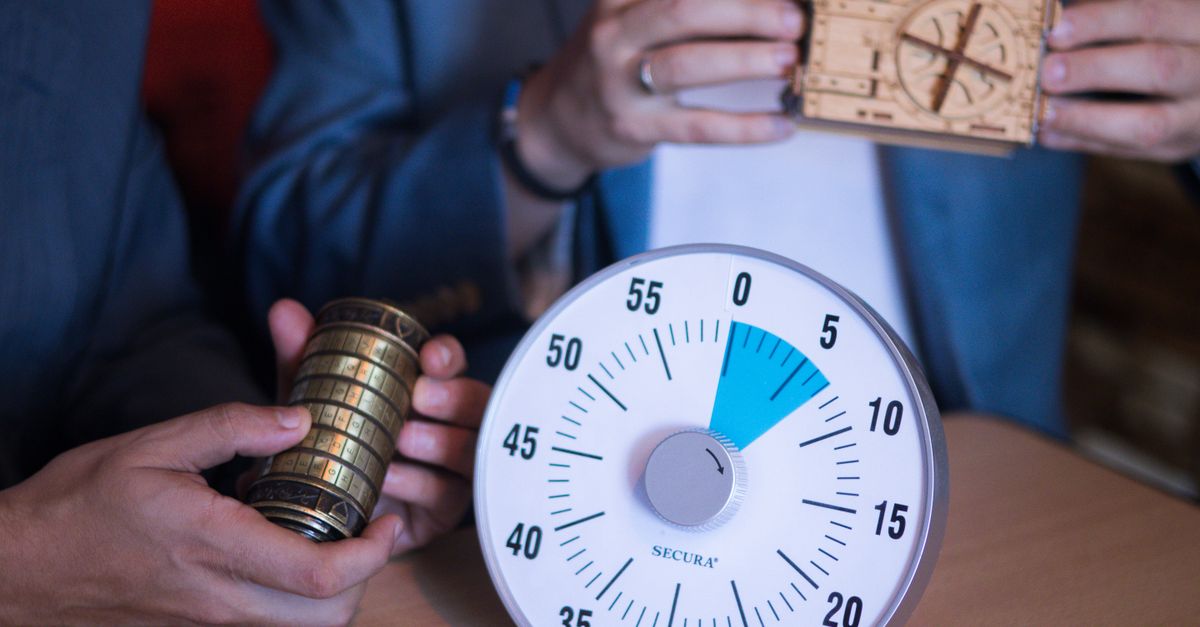
The Five Fixed Targets and Their Inclusive Windows
Each round in Stop the Clock Game uses one of five original target centers, in this exact order: 1.500, 2.250, 3.000, 3.750, and 4.500 seconds. The window extends 100 milliseconds earlier and 100 milliseconds later than that center, so the first round accepts any whole-millisecond elapsed value from 1.400 through 1.600 inclusive. The same 200-millisecond-wide inclusive interval applies to every other round, shifted to match the center. The table below shows each target together with the inclusive lower and upper edge in seconds.
| Round | Center (s) | Early edge (s) | Late edge (s) | Window width (ms) |
|---|---|---|---|---|
| 1 | 1.500 | 1.400 | 1.600 | 200 |
| 2 | 2.250 | 2.150 | 2.350 | 200 |
| 3 | 3.000 | 2.900 | 3.100 | 200 |
| 4 | 3.750 | 3.650 | 3.850 | 200 |
| 5 | 4.500 | 4.400 | 4.600 | 200 |
Both edges count. A stop at exactly 1.400 or 1.600 in the first round is a hit; 1.399 or 1.601 is a miss. These windows are original Lizely game settings rather than an external timing standard, so the game reads as a recreational estimation task rather than a precision measurement. Targets change each round in a fixed sequence, but no randomization ever touches the timer, the scoring, or the displayed window.
How to Play Stop the Clock Game Round by Round
Each round follows the same three-action flow, with the Stop button reusing the focused Start position so your hand never moves between press and release.
- Read the visible target interval shown above the clock card, then press Start to begin counting.
- Watch the displayed elapsed time and press Stop, using the same focused button position, while the digits are still inside the announced window.
- Review the normalized whole-millisecond result, the signed error relative to the center, and the deterministic 200- or 0-point award, then choose Next Round after a hit.
After a hit, the result stays visible until you activate Next Round, and Start cannot run again while a successful stop is waiting to advance. After five hits the game freezes as complete and records the 1,000-point best score through the shared local game shell. A failed round does not freeze the run on its own; instead, missed attempts accumulate against a two-bucket allowance before any Restart is forced.
Reading the Exact Millisecond Result
Every stop feeds the elapsed value through one pure scoring function that rounds the input to the nearest whole millisecond, computes the signed error against the round's center, and applies the inclusive 100-millisecond tolerance. The result is shown as four pieces of information together: the normalized elapsed value in milliseconds, the signed relationship to the center, whether the stop fell inside the window, and the points awarded. A stop exactly on the center reports zero error. A stop earlier than the center reports how many milliseconds early it was; a stop later than the center reports how many milliseconds late it was.
Because the score depends only on the elapsed measurement handed to the pure function, the live display and the evaluation are intentionally separated. The visible digits are a requestAnimationFrame-driven view of the timer, and the scoring engine never reads the DOM. A slow repaint may update the on-screen number less often, but it cannot move your stop across the window edge or convert a hit into a miss. The same separation blocks forged inputs: there is no event, listener, query parameter, or global interface that lets outside code inject an elapsed value, so unit tests exercise the pure function directly while production keeps the scoring boundary closed.
Miss Normalization and the Two-Bucket Deadlock
Each miss records whether it was early or late and rounds the absolute error to the nearest 50-millisecond bucket. Repeating the same normalized miss — same direction, same 50-millisecond bucket — does not add a second failure, even when the raw elapsed value differs slightly. A second distinct early-or-late 50-millisecond bucket, however, deadlocks the run and forces a Restart. Successful stops clear all stored miss signatures before the next round, so every visible target begins with a clean two-miss allowance.
Restart cancels any outstanding animation frame, clears the stored start reference, resets the display to zero, and recreates the exact round-one state. The same Restart path is taken when a run is deadlocked, when you want to abandon a streak of misses, or when a different 50-millisecond bucket has just been recorded. Because miss buckets reset on each successful round, a single off-by-30-millisecond stop in one round and a single off-by-70-millisecond stop in another still allow you to continue; the deadlock only triggers when two different buckets accumulate inside the same round sequence without an intervening hit.
Cancellation, Hidden Tabs, and Keyboard Controls
Leaving an active timer unattended never produces a hidden result. Pressing Escape atomically cancels the current round before any shared overlay can cover it; moving the document into a hidden state also triggers the same cancellation. Both paths call the pure cancelClock transition, clear the animation frame, drop the stored start reference, reset the visible reading to zero, and record no attempt, miss bucket, deadlock step, or score. Returning to the page requires an intentional new Start, so an accidental tab switch or a double-tap on Escape cannot silently destroy a streak.
Keyboard interaction stays with normal focused controls. Tab reaches Start, Stop, Next Round, and Restart in the visible order; Enter or Space activates whichever button actually has focus. The game installs no global Enter, Space, or arrow-key handler, so form fields, browser shortcuts, and unrelated page controls keep their native behavior. The principal action buttons use a 44-pixel minimum height, the clock card uses flexible width, and the timer type scales down cleanly for a 390-pixel mobile viewport.
The implementation also guards timing races that are easy to miss in a manual stop. A synchronous start reference blocks a second Start before the button can redraw, preventing two animation-frame loops from running at once, and the same reference is cleared before a stop result is submitted so a repeated Stop has no effect. Stop pressed before Start, double Start attempts, and any action after a successful result are all frozen without affecting the score. Negative or non-finite elapsed inputs leave the running state unchanged and create no result, which keeps the pure function honest under accidental input.
What This Game Is Not
Stop the Clock Game is a recreational estimation challenge with product-authored windows, not a reaction-time test, medical device, accessibility assessment, attention evaluation, cognitive screen, coordination measure, reflex diagnosis, or employment or educational test. Browser scheduling, display refresh, input hardware, power management, and operating-system latency all influence a manual stop, so the fixed windows and deterministic scores exist only to make the game understandable and repeatable. The 200-per-round points exist for the same reason. Timer values, attempts, miss signatures, and current scores are not uploaded; if browser storage is available, the shared game shell stores only the best completed score on that device, and blocked storage simply removes that convenience. No account, paid API, sensor, permission, downloaded package, or new dependency is required to play.
Ready to put the pure scoring rule into practice? Open Stop the Clock Game, read the first window at 1.400 through 1.600 seconds, and start counting toward your first deterministic 200.