Bubble Wrap Popping Game does not play any popping sounds: every pop is confirmed through visual state only, so the experience runs identically on any supported browser regardless of audio hardware, system volume, or microphone permissions. If you came here expecting a click, snap, or satisfying ASMR pop, this tool will feel deliberately quiet in comparison to fidget-toy simulators or physical bubble wrap. The page intentionally avoids audio files, Web Audio synthesis, and vibration calls because the goal is a short reproducible visual break rather than an immersive sound demo. That choice has real consequences for how the game is designed, how the score is calculated, and how the deadlock check can fire the moment a perfect clear becomes mathematically impossible. The same screenshot, the same score, and the same 360-point perfect clear can be reproduced by anyone on any supported browser, including devices with the sound muted, headphones unplugged, or audio drivers disabled. Below is exactly what replaces sound, how the keyboard controls work, and why every limit is visible on the screen.
How to Play Bubble Wrap Popping Game in Your Browser
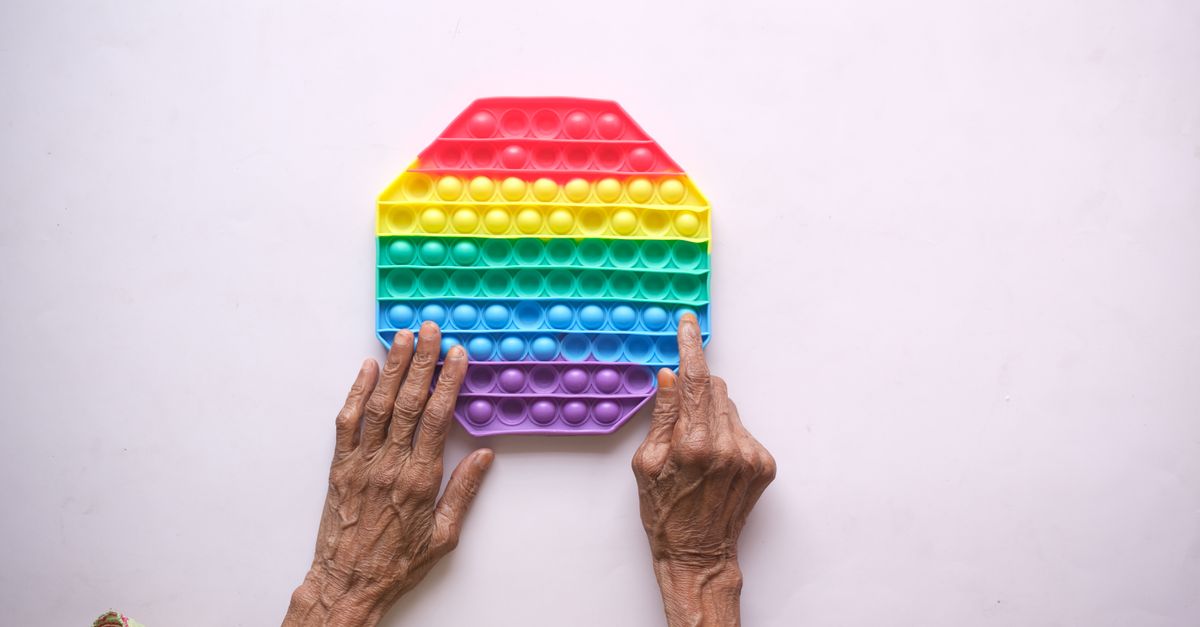
The full Bubble Wrap Popping Game lives in one browser tab and never depends on speakers, headphones, a microphone, or a touch screen. You start on a freshly arranged 6 by 6 sheet with a single bubble highlighted and the press counter, score, and unique-pop counter all set to zero. From there, the entire interface is driven by keyboard input, with optional mouse or touch support for users who prefer to choose cells directly.
- Open the game tab and let the 6 by 6 sheet finish loading. The highlighted bubble is your starting cell, and a small caption shows the total presses remaining out of 42.
- Move the highlight with the arrow keys. Each press moves one cell up, down, left, or right, and the highlight stops cleanly at every edge of the sheet so it never wraps to the opposite side.
- Press Space or Enter to pop the currently highlighted bubble. The cell's appearance changes immediately, the unique-pop counter advances by one, and the score rises by exactly ten points when this is your first time popping that cell.
- Repeat the move-and-pop pattern across the grid, watching the visual state of each cell as confirmation. A first-time pop is visibly distinct from a repeat press so the difference is obvious without any audio cue.
- Clear all 36 unique bubbles before the press counter reaches 43 to finish with a perfect 360-point run. If duplicate presses make completion impossible, the board freezes and the page invites you to restart a fresh sheet.
Mouse and touch users can also click or tap any cell to select it, then pop it with Space, Enter, or the same tap. The selection state, popped state, and numerical index are exposed to assistive technology, and the current cell is announced through a grid selection attribute so screen-reader users receive the same information a sighted user would.
Why This Pop Bubbles Game Stays Silent
The decision to remove audio is not an oversight; it is a core design choice that shapes the rest of the game. Audio playback in the browser depends on audio files, the Web Audio API, user-gesture unlock rules, and a working audio output path. Any one of those failing would silently break the experience for some users, hide the actual popping event behind a missing sound, and make the score impossible to verify on a different machine. By choosing visual feedback instead, the same screenshot, the same score, and the same 360-point perfect clear can be reproduced by anyone on any supported browser, including machines that have audio drivers disabled, headphones unplugged, or system volume muted.
The page also avoids microphone access, haptic vibration, and any system-level notification. Those additions would require permissions, hardware presence checks, and platform-specific code that all add new ways for the experience to differ across devices. A purely visual game has none of those failure modes: a bubble either changes appearance on the screen or it does not, and that binary state can be inspected, automated, and compared against an expected outcome.
For a closer look at the rules that make this possible, see Bubble Wrap Popping Rules: The 6 by 6 Rule Sheet, which walks through the same grid mechanics in detail.
What Replaces Sound on the Sheet
Without an audible pop, the game leans on five overlapping visual signals to keep every action obvious.
| Signal | What Changes on Screen |
|---|---|
| Cell appearance | The popped bubble switches from a ready state to a popped state with a visibly different fill, outline, or surface. |
| Press counter | A counter advances from 0 toward 42 with every Space, Enter, or click, including duplicate presses. |
| Unique-pop counter | A second counter increases by one only when the activated cell was previously unpopped. |
| Score readout | The score rises by exactly ten points per unique pop, with a perfect clear fixed at 360. |
| Status caption | Completion and deadlock states are announced through on-screen text, not audio. |
Together these signals replace the timing and reward cues that an audio pop would normally provide. The colors, outlines, borders, and surfaces follow the active Lizely site theme so the sheet reads cleanly in both light and dark modes without needing a hard-coded canvas palette.
The 42-Press Budget and Why It Exists
Every action — successful first-time pop or wasteful repeat — costs one press out of a fixed budget of 42. The number is not arbitrary: it is the minimum needed to clear the 36 unique bubbles, plus six extra inputs that act as a small accuracy allowance. Pop each of the 36 cells exactly once and you spend 36 presses with 6 spare inputs left over. Spend more than that on duplicates and you begin to threaten the perfect clear.
This converts a normally open-ended fidget toy into a short accuracy challenge. Each press now has to count. Hitting a cell you already popped still consumes a press but adds no points, which means duplicates are pure waste. Playing quickly no longer matters; playing precisely does. The 42-press limit also makes the game testable in an automated harness because the upper bound on presses is fixed and known in advance.
For a deeper dive into the math behind the 360-point maximum, see Virtual Bubble Wrap Game: 36 Bubbles, 360 Points.
Deadlock Detection and Restart Behavior
The game performs a continuous feasibility check on every press. If at any point the remaining press budget (42 minus the current press count) becomes smaller than the number of unique bubbles still on the sheet (36 minus the unique-pop count), finishing becomes mathematically impossible. The moment that inequality is reached, the board freezes. Movement keys no longer move the highlight, Space and Enter stop producing further changes, and a message prompts you to restart.
Restart returns the entire state to a fresh sheet: every bubble returns to ready, the highlight jumps back to the first cell, the press and score counters drop to zero, and any pending completion or deadlock flag is cleared. The board stays frozen between completion or deadlock and the next restart so the final outcome cannot be quietly rewritten. The same rule means a careless run is recoverable with one click instead of a full session reset.
The deadlock path is verifiable by design. An automated test can pop each of the 36 unique bubbles once to confirm a clean completion and then deliberately repeat one bubble until the inequality holds, proving that the game really does stop when it should. The same harness confirms that no press can ever increment the score for a bubble that has already been popped, which keeps the 360-point ceiling honest.
Score Math, Local Storage, and Browser Behavior
The score is a straightforward count of unique popped bubbles multiplied by ten. There is no multiplier, no combo bonus, and no time bonus. A perfect clear always produces exactly 360 points because 36 unique bubbles at ten points each always sum to 360. Repeating a cell can never inflate the score because the implementation tracks a Set of popped indices and only increases the count for indices that have not been seen before.
A completed best score may be stored in the browser's localStorage under a game-specific key. That storage is local only: the score is not uploaded, compared with other visitors, or attached to any account. Clearing browser data, switching profiles, or using a different device can remove the saved result. If localStorage is unavailable for any reason, the game still plays normally and simply skips the persistent best-score step.
The same shared game shell that powers the sheet also supplies the Lizely boss key. Press Escape twice within 400 milliseconds to cover the sheet with a simulated operations spreadsheet, and press Escape twice again to return to the unchanged game. That cover is a purely local visual feature; it does not transmit anything and does not open a third-party service.
Use this tool as a quick visual break or a small accuracy challenge, not as a sensory evaluation, a therapeutic device, or a physical-material simulator. Real packaging varies widely in material, bubble size, layout, sound, and durability, and the virtual sheet here is deliberately finite, deterministic, and silent. For another short score-based visual game, try Fireworks Simulator; for a longer grid challenge, try Minesweeper or Maze Game.