Color Sudoku is a 9×9 puzzle that keeps the classic Sudoku rule — every row, column, and bold 3×3 box must contain each token identity 1 through 9 exactly once — and pairs every value with a color swatch, English name, and symbol so beginners can read each cell through whichever cue works best. The five fixed boards in the Color Sudoku game expose exactly nine editable cells each, leaving 72 read-only givens that carry the constraint set without making the puzzle trivial. Each palette token shows four redundant labels at once: a number (1 through 9), an English color name (Crimson through Rose), a geometric or typographic symbol, and a swatch. Color never carries the answer on its own, so a player who cannot distinguish a hue still has the digit, the word, the symbol, and the screen-reader description to work from. The result is a Sudoku that rewards the same logic as the printed puzzle while making the entry step friendlier for new solvers.
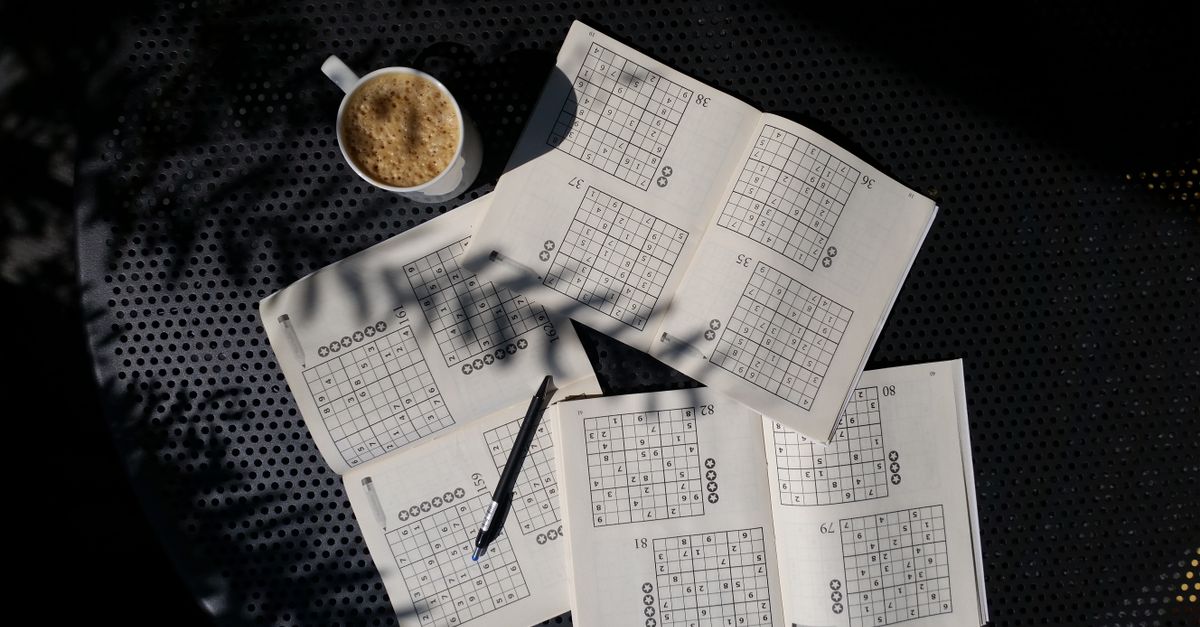
What a Color Sudoku Board Looks Like
The five boards in Color Sudoku share a single legal completed grid but use five different sets of given cells, named Spectrum Diagonal, Reverse Prism, Double Step, Offset Beam, and Five-Step Hue. Each board fills an 81-cell, 9-row, 9-column grid divided into nine bold-bordered 3×3 boxes, and 72 of those cells are read-only givens. The remaining nine cells are open for the player to fill, which makes the beginner set intentionally light while preserving every standard Sudoku constraint.
The nine editable cells are spread out so beginners do not face a dense staring wall. You can often start by finding a row, column, or box that already contains seven or eight of the nine token identities and ask which one is still missing. Because the givens cannot be edited, clicking one only changes the selected cell for orientation; the stored value never changes. That separation is one of the reasons the Color Sudoku beginner path stays approachable: the rules beginners need to apply are standard Sudoku, and the only new behavior to learn is the redundant token labeling.
The Nine Tokens at a Glance
Every palette token carries the same four labels, and that redundancy is what makes the game usable for beginners who want a non-digit cue. The mapping below is the exact mapping used inside the production tool; Crimson pairs with 1 and a circle, Amber pairs with 2 and a triangle, and the rest of the palette continues through Gold, Green, Teal, Blue, Indigo, Violet, and Rose. The remaining six tokens each pair their number, English name, swatch, and a geometric or typographic symbol, but the per-token symbol shapes beyond 1 and 2 are part of the redundant token set rather than individually published cues.
| Number | Color Name | Symbol |
|---|---|---|
| 1 | Crimson | Circle |
| 2 | Amber | Triangle |
| 3 | Gold | Geometric or typographic symbol |
| 4 | Green | Geometric or typographic symbol |
| 5 | Teal | Geometric or typographic symbol |
| 6 | Blue | Geometric or typographic symbol |
| 7 | Indigo | Geometric or typographic symbol |
| 8 | Violet | Geometric or typographic symbol |
| 9 | Rose | Geometric or typographic symbol |
If you cannot tell Amber from Gold by hue alone, the number 2 next to the swatch and the triangle symbol next to it still identify the token, and the same applies to every other value from 3 through 9. The point of the redundancy is to leave no token identifiable by a single cue, so beginners always have at least one cue they can rely on.
Why Beginners Find Color Sudoku Easier Than Number Sudoku
Two design choices keep Color Sudoku beginner-friendly without weakening the rules. First, the visible labels carry four redundant representations of every identity, so beginners who struggle to read a small digit, who process a swatch faster, or who rely on a screen reader can all play the same board. Second, each board only asks the player to place nine tokens, so a single session tests the constraint logic without flooding the screen with blanks. The Nikoli rules page, which the implementation cites as its primary source, defines the 9×9 once-per-row, column, and block rule; that constraint is what beginners are actually practicing, with color acting as a visual anchor rather than a new rule.
Beginners also benefit from the local-only data flow. Nothing about a puzzle response leaves the browser, no account is required, and no external asset or gameplay API is loaded. That means a beginner can open the puzzle, try an idea, press Check grid to learn whether the idea was correct, and Restart without worrying that earlier mistakes will persist anywhere. The optional local best score is stored in the same browser profile, so there is no public leaderboard to compare against while you are still learning.
Playing Your First Color Sudoku Board Step by Step
The five boards share a legal completed grid, so beginners can apply the same five-step routine on every fixture until the cues start to feel automatic. The numbered list below is the exact operating flow used inside the Color Sudoku tool.
- Open the first board and read the givens. The Spectrum Diagonal board is the natural starting point for Color Sudoku for beginners because its nine open cells are spread across the grid. Look at the digits, color names, and symbols already in place; they tell you which identities are still missing from each row, column, and box.
- Select an open cell. Click any non-given cell, or move there with the arrow keys. The selection changes only which cell receives your next palette token; it does not edit any stored value, and the givens stay read-only no matter how often you click them.
- Choose one of the nine palette tokens. Each token displays a number, an English color name, a symbol, and a swatch. Beginners can pick the token by color, by name, by symbol, or by the number keys 1 through 9 on a keyboard. The token's identity, not its appearance, is what gets stored in the cell.
- Repeat until all nine open cells are filled. After every placement, scan the row, column, and box the cell belongs to and confirm that no token identity repeats. Use Backspace or Delete to clear a cell that does not fit, or pick a different token from the palette.
- Press Enter or click Check grid. A valid board adds 200 points to your score and opens the next fixed fixture. An incomplete board does nothing, so beginners can press Check grid early to learn the strict rule without losing a turn.
Once you clear the fifth board, the run ends at exactly 1,000 points and no extra palette clicks, arrow keys, checks, or clears can change that final record.
How Scoring, Errors, and Restart Work for Beginners
The scoring is deliberately transparent. Each verified board contributes a flat 200 points, and clearing all five boards produces an exact 1,000-point total. The Check grid action validates every row, column, and box atomically: a completed but conflicting board is rejected, a fully correct board is accepted, and an incomplete board is treated as a no-op that does not consume an error or change the score. That strict rule means beginners can build the habit of pressing Check grid only after the board looks finished, without fearing that a half-typed board will be misread as a wrong answer.
Errors are handled so beginners can recover. Each fully completed but conflicting assignment creates an error signature from the editable values; pressing Check grid on the identical wrong assignment again is deduplicated, so a beginner who retried the same mistake is not punished twice. A second, different invalid completed assignment closes the run, at which point Restart resets the score, the selection, and the error count back to the first board. Visible conflict highlighting is offered as a supplement, but the selected cell, stored identity, English label, symbol, and accessible description remain available even without that highlight.
Keyboard, Mouse, and Touch Controls Beginners Use
Color Sudoku accepts both pointer and keyboard play, and both paths run through the same reducer, so a beginner can mix the two without seeing the rules drift. On a keyboard, the arrow keys move between cells, 1 through 9 enter the matching palette token by identity, Backspace or Delete clears an editable cell, and Enter runs Check grid. On a phone or trackpad, tap any open cell to select it and tap a palette token to place it; givens remain read-only. Every interactive element — cells, palette tokens, and action buttons — has a minimum 44-pixel target, and on a narrow screen the board uses contained horizontal scrolling instead of shrinking the tap targets below that threshold.
The double-Escape boss screen is available for any beginner who needs to clear the screen quickly, and the optional local best score lives in the same browser profile the puzzle runs in. Nothing is sent to a server, so first-time solvers can practice the token map and the constraint logic without creating an account or signing in.
Moving From Your First Board to a 1,000-Point Run
Once the first five boards feel automatic, the natural progression is to repeat the run while paying closer attention to which constraint you used to fill each open cell. Beginners who want a stronger challenge next can try the Killer Sudoku game, which layers cage sums on top of the same row, column, and 3×3 box rules, or the Nonogram game for a logic puzzle with a different grid shape. The redundant labeling approach that makes Color Sudoku beginner-friendly also shows up in the Color by Number game, where numbered regions and a fixed palette replace Sudoku's constraint logic with a visual completion flow.
For beginners who want to internalize the token map, restarting a board and re-labeling the same nine open cells by name only, then by symbol only, is a quick drill. The point of the redundant labels is not to memorize one cue but to give every learner at least one cue that always works.
For a deeper look, see Do Diagonally Touching Tiles Join the Flood in Color Fill?.
For a deeper look, see Does Checking an Incomplete Killer Sudoku Use a Mistake?.