Setting five analog clocks in five-minute steps and matching both hand angles earns exactly 1,000 points in this Canvas clock game, where the minute angle equals 6 × minute and the hour angle equals 30 × (hour mod 12) + 0.5 × minute. A clock time puzzle guide focuses on the practical mechanics of reading a target time, adjusting an hour from one through twelve and a minute in five-minute jumps, and verifying both hand positions before submitting in the Clock Time Puzzle tool. The format is deterministic: every card names one fixed target, every submission either awards 200 points or registers an error, and the five-card route totals exactly 1,000. Because both hands are computed in real time from the selected hour and minute, the player never has to estimate — the displayed angles either match the formula's output or they do not. That continuous-hand behavior is what separates this guide-style walkthrough from a basic reading exercise: the hour hand moves between marks at 0.5 degrees per minute, not in sudden jumps. Understanding that single difference is what unlocks the 6:30 and 9:45 settings, and it is the foundation for the entire 1,000-point route.
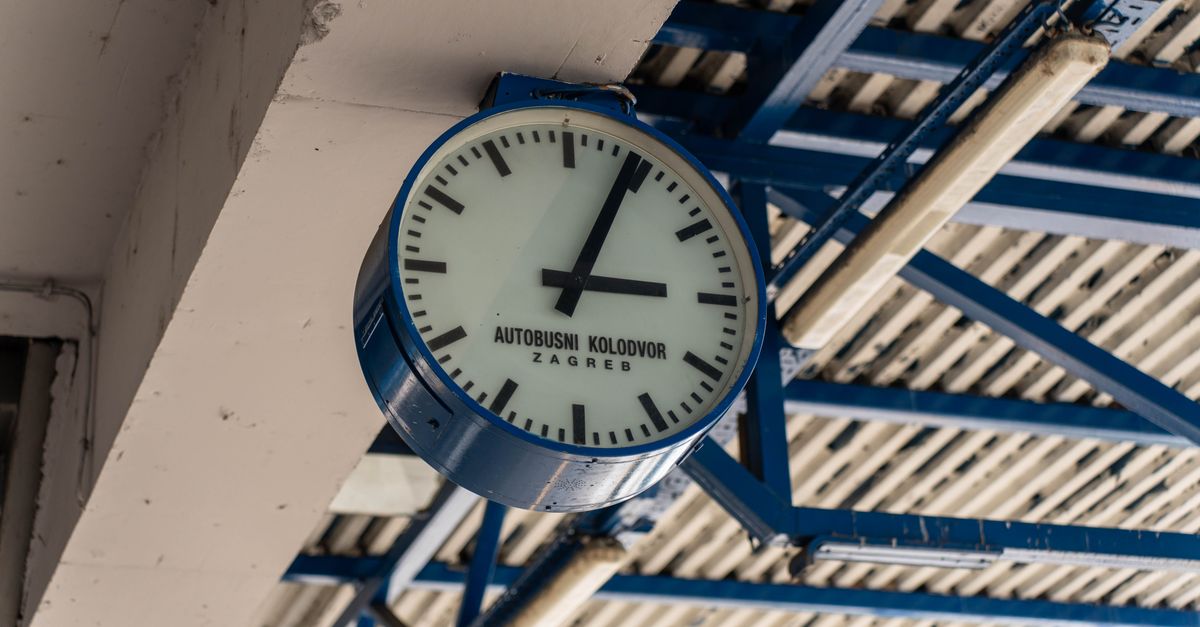
What "Clock Time Puzzle Guide" Readers Actually Want
A practical guide for a clock time puzzle has to do three things at once: explain the mechanics, name the formulas, and walk through the actual route. Most readers who search this phrase want a clear sequence of how to interact with the board — which button does what, what counts as a valid submission, and how to read the angles that the Canvas displays. The product is built around that exact task: each of the five cards shows a target time, the player uses the controls to set a digital time, and the Canvas redraws the two hands from the selected hour and minute so the visible angles match the formulas at every step.
That means the guide is not about learning to read a clock face from scratch. It is about the math of continuous hands, the validation rules for what counts as an acceptable time, and the practical workflow for clearing all five cards without burning the recoverable error. The hour control accepts integers from one through twelve, the minute control accepts only five-minute steps from zero through fifty-five, and any other value is rejected as a no-op before the Canvas even redraws. That atomic rejection is the safety net the workflow leans on: invalid inputs never reach the angle formula, so the displayed angles are always trustworthy.
The Fixed Route and Why Order Matters
The fixed game route asks for 3:00, 6:30, 9:45, 12:00, and 2:25 in that order. Each target maps to a specific pair of angles written as minute and hour, and the corresponding angle pairs are 0/90, 180/195, 270/292.5, 0/0, and 150/72.5 degrees. Three of the five targets have an hour hand that sits between marks (6:30, 9:45, 2:25) and two have it on a mark (3:00, 12:00), which is exactly the split the continuous-hour formula is designed to cover.
| Target | Minute hand (°) | Hour hand (°) | Continuous-hour required? |
|---|---|---|---|
| 3:00 | 0 | 90 | No |
| 6:30 | 180 | 195 | Yes |
| 9:45 | 270 | 292.5 | Yes |
| 12:00 | 0 | 0 | No |
| 2:25 | 150 | 72.5 | Yes |
Order matters because the error counter and the card progression are tied together. A wrong submission on round one is recoverable, but a second distinct wrong setting on any card closes that clock file and stops the run. The route is short — only five targets — but every selection is final, so the guide approach is to verify the angles first and submit second. Each exact target adds 200 points, so the arithmetic on the way to 1,000 is a clean 200 × 5 rather than a graded curve.
The Hand-Angle Math Behind Each Target
The math is the core of the guide. Two formulas drive every visible angle. The minute hand moves 6 degrees per elapsed minute because 60 minutes cover a full 360-degree turn, so the formula is minuteAngle = 6 × minute. The hour hand moves 30 degrees per hour and continues between hour marks at 0.5 degrees per elapsed minute, which gives hourAngle = 30 × (hour mod 12) + 0.5 × minute. Both formulas are stated in the product's own contract and are cross-checked against the University of Cambridge NRICH page on clock face angles and an independent Rutgers University explanation of continuous clock hands.
A worked example: at 6:30, the minute hand sits at 6 × 30 = 180 degrees. The hour hand sits at 30 × (6 mod 12) + 0.5 × 30 = 180 + 15 = 195 degrees. That 195-degree result is the canonical continuous-hour case — it places the hour hand exactly halfway between the 6 and 7 marks, which is what the Canvas draws. The Rutgers explanation and the Cambridge NRICH work both confirm the 0.5-degrees-per-minute continuous drift, so the 195-degree reading is the only correct answer. Any value that places the hour hand on the 6 mark itself (180 degrees) is wrong because the formula already accounts for the half-hour offset.
That single example captures the guide's central idea: the visible angle is the truth, the formula is the verification, and submitting without checking the formula is the most common way to waste the recoverable error. The Canvas has no animation loop, so the displayed hands redraw only when the selected hour or minute changes; the angle readout and the formula string both update at the same instant, which lets the reader treat them as a single source of truth.
How to Set Five Clocks in Order
The how-to flow is the part of the guide the reader follows in real time.
- Read the target time on the active card before touching any control. Note whether the hour hand should sit on a mark (3:00, 12:00) or between marks (6:30, 9:45, 2:25).
- Use the hour control to step from 1 through 12 until the displayed hour matches the target. On a keyboard, press Up or Down. On a pointer or touch screen, use the hour buttons.
- Use the minute control to step the minute in five-minute jumps from 00 through 55 until the displayed minute matches the target. On a keyboard, press Left or Right; each press moves five minutes. On a pointer, use the minute buttons.
- Read the visible angles in the formula display: minuteAngle should equal 6 × minute and hourAngle should equal 30 × (hour mod 12) + 0.5 × minute. If either angle disagrees with the formula, adjust one step and recheck.
- Press Enter (or the submit button) to lock in the time. If the time matches the target, the card awards 200 points and advances to the next round.
- After five correct submissions, the run finishes with exactly 1,000 points. The shared game shell records the best score and exposes the Boss Key for browser-only convenience.
This six-step flow runs once per round. There are exactly five rounds in the fixed route, so the entire guide fits inside six repetitions of the same loop. If the reader wants a controls-first read of the same five cards, the Clock Time Puzzle Walkthrough: Controls, Angles, Scoring guide covers the identical route from a button-pressing angle, and the Set the Clock Game: Solve Five Times to 1,000 guide frames the run as a single unbroken sequence.
Keyboard Controls and Error Deduplication
For keyboard-first play, the control layout is consistent across the five cards. Up and Down move the hour selection one step at a time from 1 through 12; Left and Right move the minute selection by five-minute increments from 00 to 55; Enter submits the current time. Pressing R while focus is outside any editing control restarts the run from 12:00 on the first card with a zero score and zero errors. The lower-level angle function also validates the conventional 0–23 hour range and 0–59 minute range used by the cross-check evidence vectors, so the same formulas cover both the player-facing 12-hour controls and the 24-hour verification paths.
The error system is the part of the guide that readers most often miss. A wrong submission on a round is not immediately fatal: it creates one recoverable error identified by the round number, the chosen hour, and the chosen minute. The game deduplicates that signature, so submitting the same wrong setting again is a no-op and does not count as a second mistake. Only a second distinct wrong setting closes the clock file for that round and freezes time adjustment and submission for the rest of the run. Restarting with R returns the game to the first card at 12:00 with the score and error counters reset to zero.
This is the practical reason the guide's workflow always verifies before submitting: once the recoverable error is spent, the next wrong move ends the run. The Canvas itself never animates — it only redraws from the selected hour and minute — so the displayed angles are an unambiguous, immediate readout of what the formula will return. If the displayed angle disagrees with the formula, the submission will be wrong.
Sources That Anchor the Math
The continuous-hand formulas are the only part of the guide that relies on external authority, and both source URLs are publicly available. The University of Cambridge NRICH page on clock face angles describes the same minute and hour rates and uses a worked 20:14 example, and the Rutgers University explanation of telling time independently confirms the continuous hour-hand formula and the six-degree minute-hand relationship. These two sources support only the mathematical hand rates — the game design, the route order, the score formula, and the error handling are all internal to the product.
All processing happens in the browser. The game stores no personal clock history and transmits nothing; no account, alarm, scheduling service, timezone claim, API, model, upload, or external timer is involved. The shared game shell supplies the best score and the Boss Key, but the angle calculation itself is local. The product is positioned as educational entertainment, not a standardized teaching assessment, reaction-time test, accessibility screening tool, or guarantee that the player has mastered timekeeping. Independent tests cover the literal release vectors that include 12:00, 3:00, 6:30, 9:45, 12:30, 3:15, 8:24, 20:14, and 2:25, and they re-check five-minute wrapping, repeat deduplication, two distinct wrong settings, illegal input, restart, exact 1,000, and terminal freezing without relying on production code for expected values. That separation between authoritative sources and gameplay is what lets this guide quote the formulas with confidence while leaving the route itself to the product.