Mixing #ff0000 and #0000ff in a HEX color mixer gives #800080 because the mixer averages their stored RGB channel values rather than simulating red and blue pigment. That result is not a mistake. A HEX color is a compact numeric description of red, green, and blue screen channels, so the output reflects digital interpolation rather than a universal color recipe.
The apparent contradiction comes from using the same words for different media. When you mix two HEX colors in an RGB-based tool, the program treats each color as three channel values and draws a straight line between them. When you physically combine red and blue paint or ink, the pigments absorb and reflect light in more complicated ways. Equal quantities in the digital model therefore need not look like equal quantities on a palette, and physical pigment mixtures can look purple, brownish, or another darkened color.
So the direct answer is: magenta is the expected screen-value result for the tool’s even red-and-blue blend, while purple and brown belong to a different mixing context. The distinction is not a defect in either method; it is a difference in what each one models.
What the HEX mixer actually calculates
A six-digit HEX value represents three 8-bit RGB channels. For example, #ff0000 stores a high red value, zero green, and zero blue; #0000ff does the reverse. The Color Mixer applies the same ratio to every channel using this rule:
result = round(A × (1 − ratio) + B × ratio)
“Linear interpolation” in this tool means a straight, weighted average of the stored 8-bit sRGB channel numbers. It does not mean that the tool performs gamma-corrected mixing in linear light. For a closer look at the channel-level operation, see the math behind HEX color blends.
For the single red-and-blue example:
- Red becomes round(255 × (1 − 0.50) + 0 × 0.50) = 128.
- Green becomes round(0 × (1 − 0.50) + 0 × 0.50) = 0.
- Blue becomes round(0 × (1 − 0.50) + 255 × 0.50) = 128.
Those channels combine as #800080, the clean magenta reported by the mixer. The computation is deterministic: with the same two inputs and the same ratio, the same result returns.
One subtlety is that “additive-style” screen blending should not be confused with a physical lighting experiment. Projecting red and blue light can produce a much brighter, saturated magenta because the light sources add energy. The mixer does not reproduce that optical result; it interpolates the numerical values you supplied. That limitation is exactly why it is useful for screen design but unsuitable for predicting paint.
Why screen mixing and paint mixing disagree
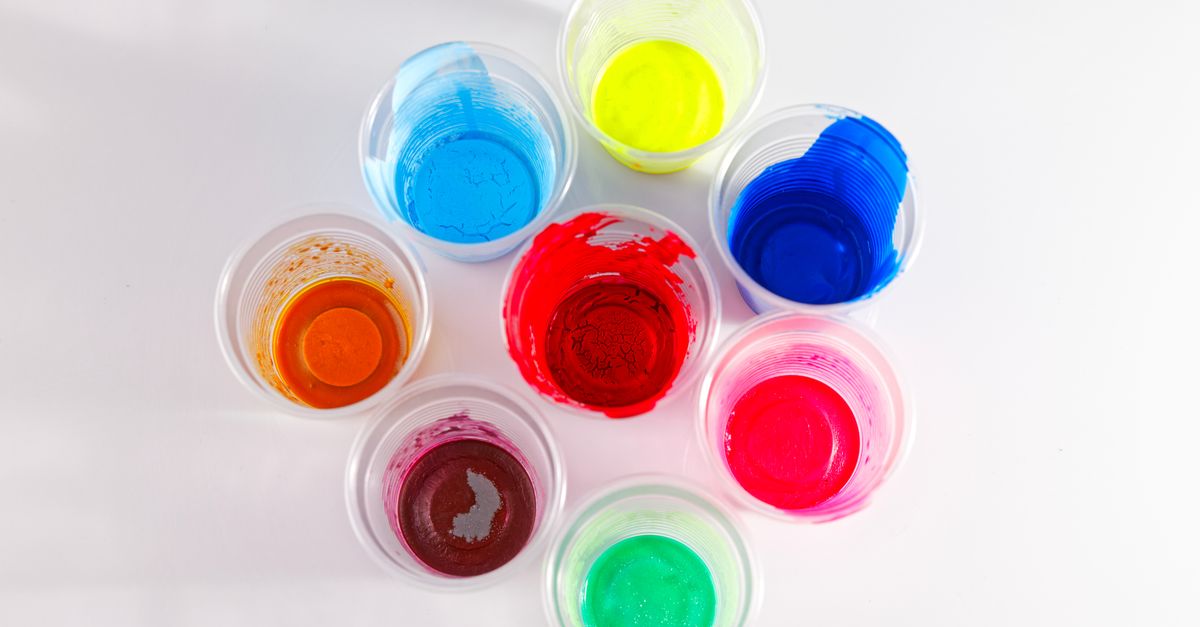
Real paint and ink normally use subtractive color: pigments absorb selected parts of the light and reflect the rest. Red and blue pigments may leave a dark, muddy violet, but the exact result depends on the pigments, their proportions, and the material carrying them. A brownish appearance is possible because pigments can be dull or contain additional colorants; brown is not a third RGB interpolation mode.
| Mixing context | What is combined | Typical red-plus-blue result | What it can guide |
|---|---|---|---|
| Digital RGB interpolation | Stored 8-bit red, green, and blue values | Clean magenta in the red-and-blue example | Websites, apps, icons, charts, and gradients |
| Red and blue light sources | Emitted light and its intensity | A bright, saturated magenta | Understanding lighting, not predicting this mixer’s output |
| Paint or printed ink | Pigments that absorb and reflect light | Often a muddy purple; sometimes brownish | Physical sampling rather than direct prediction |
The practical point is that “What color do red and blue make?” has no medium-independent answer. The Color Mixer’s answer is exact for its stated sRGB interpolation model. A palette’s answer depends on materials that would need to be tested physically.
Mix red and blue HEX colors step by step
- Open the Color Mixer and locate the Color A and Color B fields.
- Enter #ff0000 in Color A. You can also use the equivalent short form #f00, an rgb() string, or the color swatch beside the field.
- Enter #0000ff in Color B using the same input options.
- Drag the ratio slider to 50% for the midpoint. At 0%, the result is pure Color A; at 100%, it is pure Color B.
- Read the result panel for the exact lowercase six-digit HEX and RGB values. The gradient bar previews the transition, and the Copy button places the result HEX on your clipboard.
Use the ratio and gradient to judge the transition
The ratio label always shows the current split, such as 70% A and 30% B, so the blend can be reproduced. Moving toward Color B does more than change a color name: it changes the underlying channel values. With the red-and-blue pair, moving toward blue lowers red and raises blue while green stays at zero. Colors with different green channels produce a different transition because every channel is weighted independently.
The gradient contains eleven evenly spaced blend steps, including both original colors. That makes it possible to inspect the full transition instead of choosing only the midpoint. A useful workflow is to set the desired ratio, scan the gradient for the preferred intermediate color, and then confirm its exact HEX and RGB values in the result panel. For more focused guidance, see using the ratio slider for precise blends.
All of this calculation happens locally in your browser. The inputs and results are not uploaded, and the same values and ratio always produce the same mathematical outcome.
Choose the interpretation that matches the medium
For a website, app, icon set, chart, or interface palette, direct RGB interpolation is the relevant model. It supports digital color scales, halfway tints or shades, gradient stops, and small adjustments between brand colors. This channel arithmetic is also the kind used by many design tools, CSS gradients, and UI systems, which makes it useful when the objective is to define a repeatable on-screen value.
Color names require a little more care. The Color Mixer describes the red-and-blue result as clean magenta, while standardized CSS naming calls the exact #800080 value purple. The HTML Color Names Chart can be used to check standardized CSS keyword mappings. A spoken design name may differ again, so the HEX value is the more precise identifier when a team needs everyone to use the same color.
Know where the digital result stops
The Color Mixer cannot predict the appearance of acrylic paint, artist ink, printer ink, or another physical mixture. It does not account for pigment chemistry, absorption, opacity, or the material carrying the color. Consequently, #800080 should be treated as the digital interpolation result, not as a guarantee that equal amounts of red and blue physical pigment will produce the same color.
If physical accuracy matters, use the digital result to establish the target value, then validate it with the actual paint, ink, paper, or production process. If the goal is instead an on-screen gradient or interface color, stay with the HEX and RGB values supplied by the mixer. Magenta, purple, and brown may describe different media, but #800080 precisely describes what this sRGB channel calculation produces.
If you're weighing options, Does HEX to RGB Conversion Upload Your Color Data? covers this in detail.