To repeat the same result with a Web Safe Colors Chart, enter the same valid 3-digit or 6-digit HEX code and select Find match; the chart rounds each RGB channel independently to the nearest web-safe level, making the selected palette entry repeatable.
That repeatability applies to the color value calculated by the chart. It does not guarantee that every monitor will display the color identically or prove that a foreground and background are accessible. The Web Safe Colors Chart provides a transparent way to reproduce the calculation and retain the exact HEX value used in your project.
What the chart keeps consistent
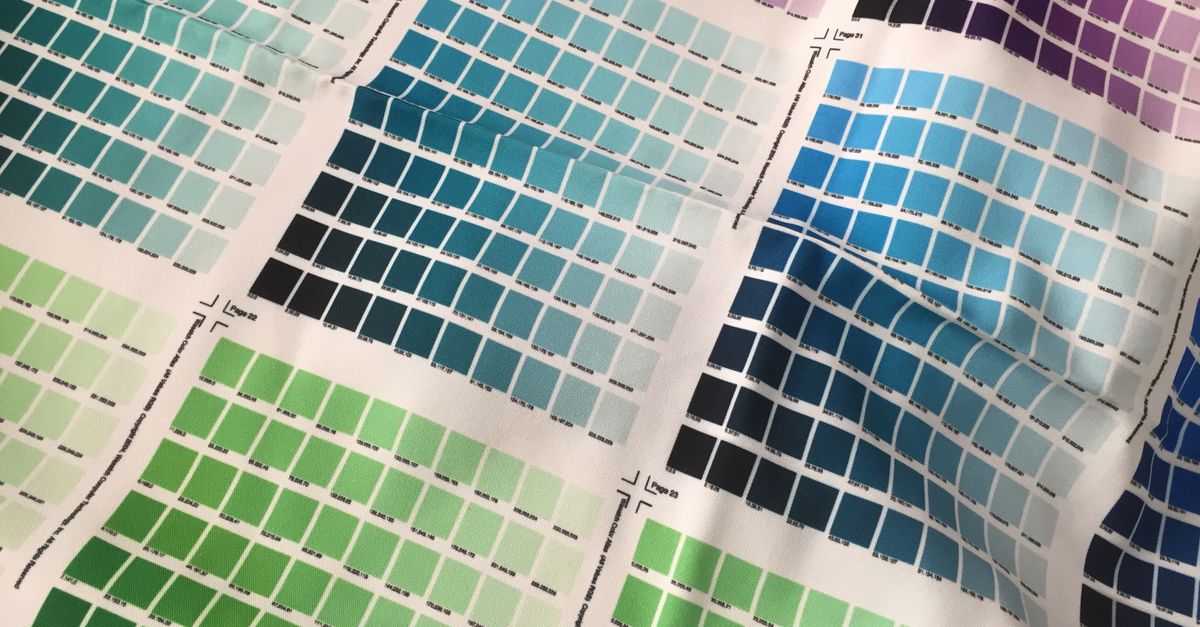
The chart contains 216 colors generated from six permitted levels in each of the red, green, and blue channels. Because those levels are fixed and the grid is generated in deterministic red-major, green-middle, blue-minor order, the chart does not introduce a random choice into the process.
When you submit the same source HEX value, the documented matching rule produces the same snapped entry. If the source already uses web-safe channel values, it resolves to that corresponding palette member. If it does not, the matcher changes each channel to its nearest permitted level. The resulting six-digit value is therefore suitable for a repeatability check, provided the source input is also identical.
The repeatable output is the palette entry itself. A browser, display, projector, printer, or design application may still interpret or reproduce that RGB value differently. Keeping those two ideas separate makes documentation clearer: the chart reproduces a HEX calculation, while the final application determines how the color appears and performs.
Reproduce a Web Safe Colors Chart match
Use the same sequence for a new match or for checking an earlier result:
-
Locate the original source value. If the color came from a chart swatch, browse the 216-color grid and select it. The complete six-digit HEX value appears in the larger result area and can be copied. If you are reproducing a previous match, use the exact source code you originally submitted rather than an approximate color name or a visual recollection of the swatch.
-
Enter a valid 3-digit or 6-digit HEX code. Put the code into the matching field. A three-digit value is expanded according to normal CSS shorthand rules before matching, so the shorthand and its equivalent full form follow the same channel-rounding process.
-
Select Find match. The chart evaluates the red, green, and blue channels independently and selects the palette member produced by those rounded values.
-
Read the complete selected value. Check the larger result area for the full six-digit code. The compact grid uses a shortened three-character hint, but that hint is not the complete HEX value needed for an accurate design record.
-
Copy or manually record the output. Copy the full six-digit result when clipboard access is available. If the browser denies clipboard permission, the visible code remains available for manual selection. Save both the submitted source and the complete output without substituting the shortened grid hint.
-
Check the color in its intended application. If the result will serve as text, a background, a border, or another interface element, verify the relevant combination separately. Palette membership alone does not establish text readability.
The rule behind a repeatable result
Each RGB channel is restricted to the same six evenly spaced values:
| Channel | Allowed 8-bit values | Corresponding HEX digits |
|---|---|---|
| Red | 0, 51, 102, 153, 204, 255 | 00, 33, 66, 99, CC, FF |
| Green | 0, 51, 102, 153, 204, 255 | 00, 33, 66, 99, CC, FF |
| Blue | 0, 51, 102, 153, 204, 255 | 00, 33, 66, 99, CC, FF |
One worked example shows how the calculation proceeds:
- Formula: Round each input channel independently to its nearest member of 0, 51, 102, 153, 204, or 255, then reassemble the three channels.
- Substitution: For #3470d0, red 52 rounds to 51 (#33), green 112 rounds to 102 (#66), and blue 208 rounds to 204 (#CC).
- Result: The selected web-safe value is #3366cc.
This is equivalent to finding the nearest point in the ordinary unweighted RGB cube because the three axes are independent and evenly spaced. It is not a perceptual color-difference calculation. Gamma-encoded sRGB values are not perceptually uniform, so the swatch that appears closest to a person can differ from a match based only on channel distance.
That limitation does not make the operation unpredictable. It defines what is being repeated: an exact, auditable channel-rounding rule rather than a judgment about human perception. If appearance is the deciding factor, a specialist workflow may compare colors in Lab or OKLCH, account for an ICC profile, or optimize a palette across an entire image.
Keep a record that can be reproduced
A compact color record prevents a later designer or developer from confusing the source color with the snapped output. Include the following:
- Original input: Record the complete source HEX value and whether it was submitted in three-digit or six-digit form.
- Matched output: Save the full six-digit palette value rather than the abbreviated hint shown inside the compact grid.
- Application: Note whether the color is a background, foreground, border, chart series, or another element. The same color can need different contrast treatment in different roles.
- Text details: When the color is used for text, record the background, font size, and font weight because each can affect which accessibility criterion applies.
- Verification: Keep the result from the separate contrast check alongside the chart match. This prevents a future reviewer from assuming that matching a web-safe entry also proves readability.
The source and output serve different purposes. The source preserves what you originally wanted to test; the output records the constrained palette entry actually selected by the chart. Keeping both makes an unexpected later result easier to diagnose, especially when another person re-enters the code by hand.
Check the pair in the place it will be used
“Web safe” is a historical compatibility label, not an accessibility or printing guarantee. Text readability depends on the relationship between the foreground and background, along with font size, weight, and the applicable accessibility criterion. A familiar palette entry can still produce an unsuitable pair.
Use the Color Contrast Checker to test the actual foreground and background colors against the relevant WCAG AA or AAA rules. Apply the criterion appropriate for the text rather than assuming that entry into the historical cube grants an automatic pass.
For a CSS implementation, copy the complete matched HEX value into the relevant color declaration and test the rendered pair in context. Borders, icons, hover states, disabled states, and adjacent colors can change the practical result even when the stored RGB values have not changed.
The chart also does not create equivalence with Pantone, CMYK inks, physical material samples, or device-calibrated output. A HEX entry is a digital RGB specification. Use separate print or production workflows when the destination requires calibrated physical colors.
Separate repeated values from visual consistency
The palette originally addressed a practical constraint: many displays of the era could show only 256 indexed colors at once, and a shared cube reduced the chance that a browser would dither a page color into a speckled approximation. The W3C’s historical Introduction to CSS documents browser-safe colors, while a WAI 216-color picker example independently lists 216 color choices.
Modern computers, phones, and browsers normally support far more than 216 displayable colors, so web-safe colors are no longer a general compatibility requirement for ordinary website styling. The chart remains useful for studying quantized RGB cubes, building a deliberately restricted retro palette, creating low-color artwork, teaching hexadecimal channels, or reproducing an older design.
Do not restrict a modern brand system or data visualization to these 216 entries unless the creative brief calls for that limitation. Likewise, do not treat a repeated chart result as proof of identical appearance on every device. The practical repeatability check is straightforward: retain the original HEX input, reproduce the same snapped six-digit output, document the intended use, and verify the actual color pair separately.