A random color generator is a tool that draws a color value at random from the full 16,777,216-color space used by modern screens, then displays it in HEX, RGB, and HSL so it can be copied directly into design or code. That unpredictability is what makes it useful: instead of recycling the same five "safe" palettes you always reach for, you hand the decision to chance and let the result surprise you. Designers, illustrators, and front-end developers use random generators to escape their default habits and stumble onto pairings they would never have chosen deliberately. The colors come back labeled with the three formats people actually paste into real work, so the gap between "inspiration" and "usable value" is one click.
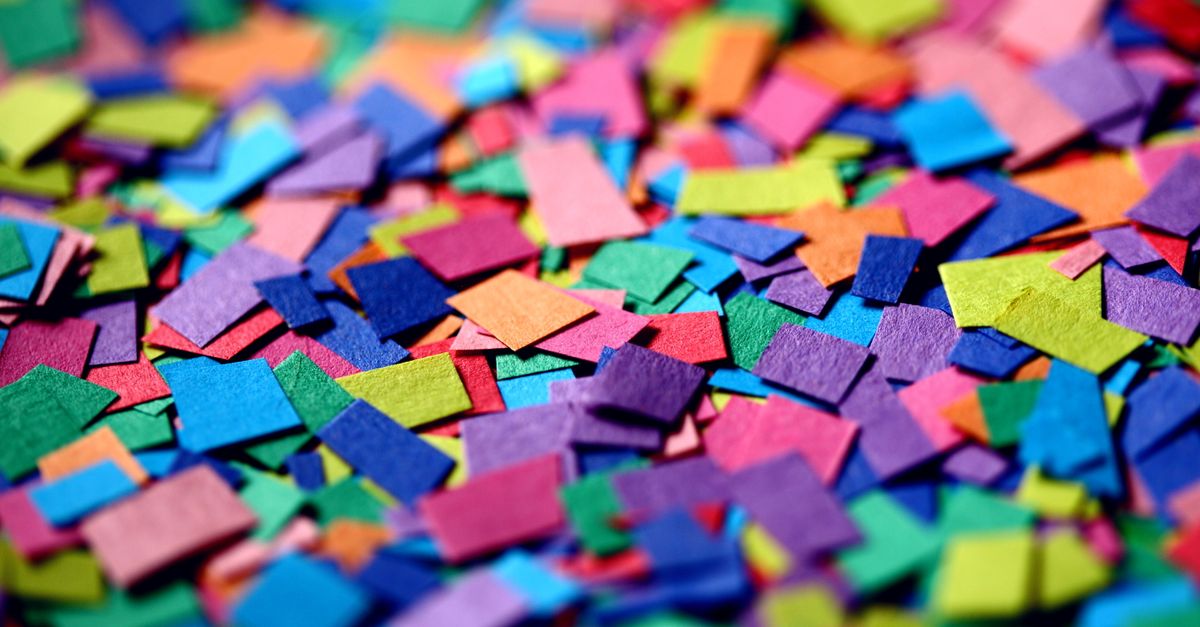
What a Random Color Generator Actually Does
Under the hood, a random color generator is small but precise. It calls the browser's built-in random function to produce three independent integers, one each for red, green, and blue, with each channel falling between 0 and 255. Those three numbers define a single point inside a 24-bit color cube: 256 levels per channel, multiplied together, gives the 16,777,216 unique colors that any standard monitor can display. Because every draw is independent, the same shade can appear twice in a row, and truly unusual combinations — a near-black olive, an almost-white pastel — show up just as often as the saturated primaries most people default to.
This is meaningfully different from a curated palette picker. A palette generator gives you combinations chosen to harmonize — complementary, analogous, triadic — based on color theory. A random generator gives you none of that filtering. It is the difference between a vending machine and a sommelier: one hands you whatever button you press, the other nudges you toward combinations that already work. Both have their place, but only the random model exposes you to combinations your taste would never select on its own.
The Math Behind 16.7 Million Colors
The number 16,777,216 is not marketing. It comes from binary: each of the three color channels (red, green, blue) is stored as 8 bits, and 2 to the 8th power is 256. Multiply 256 by itself three times and you get the full 24-bit color space, identical to what your monitor's pixel pipeline accepts natively. Anything outside that range either gets clipped or approximated.
That scale is hard to hold in your head. A reasonable working comparison: the average person can distinguish somewhere around a million unique colors under ideal viewing conditions, and even trained observers rarely push past ten million. So the space a random generator draws from is genuinely larger than the gap between most adjacent shades a designer would otherwise choose. The tool is not pulling from a tiny toy pool — it is sampling the same universe your screen actually renders.
How to Generate Random Colors in Three Steps
- Set how many colors you want in the count field, anywhere from 1 to 100.
- Click Generate to produce a fresh batch of random colors drawn from the full 16.7M-color space.
- Click any swatch to copy its HEX value, or click the RGB or HSL value to copy that format instead.
That is the entire workflow. No account, no upload, no waiting. Each re-roll is independent of the previous one, so if a batch does not look right you simply click again. To build a working palette, run the generator several times and cherry-pick the swatches that catch your eye — the unpredictability is the point, but the curation is still yours.
Choosing Between HEX, RGB, and HSL
Every random color comes back labeled in three formats because they describe the same color in three different ways, and the format you paste depends on where the color is going.
| Format | Example | Where it fits |
|---|---|---|
| HEX | #3a9d7f | CSS, Figma, most design tools |
| RGB | rgb(58, 157, 127) | Image editors, JavaScript, screen-pixel work |
| HSL | hsl(158, 46%, 42%) | Tweaking a random result into something usable |
HEX is the shorthand design tools and CSS speak fluently. RGB is closer to the hardware — every pixel on your screen is literally three values of red, green, and blue light — so it shows up everywhere an image is being processed. HSL describes color the way most people actually think about it: pick a hue (the color itself), then dial saturation (how vivid) and lightness (how bright or dark). That last format is the easiest to nudge a random result toward something usable — if a generated color is too muted, raise the saturation; if it is too dark, lift the lightness.
Whatever format you pick, the Random Color Generator copies it to your clipboard with a single click. There is no dialog box, no popup, no "select all then copy" dance.
Where Random Colors Earn Their Keep
Random color generation is not only about breaking creative blocks, although that is the most common reason people reach for one. It also solves a long list of practical, less glamorous problems.
- Placeholder UI and avatars. Front-end developers need throwaway colors for chart series, tag labels, and user avatars while the real data or branding is still being decided. Random draws fill that role cleanly and never repeat on purpose.
- Mock data and test fixtures. QA engineers seed test databases with random hex values to make sure their UI handles unusual inputs — colors that look wrong, colors that look identical to each other, colors that are almost-but-not-quite accessible.
- Teaching color theory. A classroom can use the generator to show how the same color looks in HEX, RGB, and HSL side by side, and how nudging the HSL values shifts what is on screen. Seeing a single color move across all three formats in real time makes the relationship concrete in a way a textbook diagram cannot.
- Escalation testing for accessibility. Designers use random colors to deliberately find pairs that fail contrast checks, which sharpens intuition for what passes and what does not.
For any of these uses, the practical workflow is the same: generate a batch, copy the values you want, paste them straight into code or a design file. If a single random color looks promising but does not quite fit the surrounding palette, hand it off to a tool like the Color Palette Generator to derive a coordinated set around it.
The Accessibility Caveat
Random colors are not guaranteed to be accessible. A 24-bit RGB draw will happily produce near-white pastels, dark muddy browns, and saturated neons that disappear against equally random backgrounds. If a generated color will carry text, signal meaning, or be the only cue a user has, its contrast ratio against the background needs to be checked before it ships. Run the pair through the Color Contrast Checker against WCAG AA (4.5:1 for body text) and AAA (7:1) thresholds, and adjust — usually via the HSL lightness channel — until the pair passes. Random colors are raw material, not a finished decision.
What Happens Behind the Scenes
The Random Color Generator runs entirely in your browser using its built-in random function. That means every color is produced locally on your device: nothing is uploaded, stored, or logged, and there is no account to sign up for. The trade-off is that the randomness comes from a standard pseudo-random generator rather than a cryptographic source, which is fine for picking colors but would not be appropriate for anything security-sensitive. For design, prototyping, and testing, that level of randomness is exactly what you want: fast, unpredictable, and immediately copyable.