To compare two ways to convert RGB to CMYK, send the same RGB value through a naive browser calculation and an ICC profile-aware print workflow, then compare the four ink percentages, the color appearance, and the intended use of each result.
These methods are not expected to produce identical numbers. The RGB to CMYK Converter provides an immediate mathematical estimate and display preview, while a printer’s profile-aware workflow accounts for a specific CMYK profile. The browser result is useful for planning and understanding color; the profile-based result and a printed proof belong in the final production decision.
For a controlled comparison, change only the conversion method. Keep the source RGB value, intended paper, finish, and other print conditions fixed.
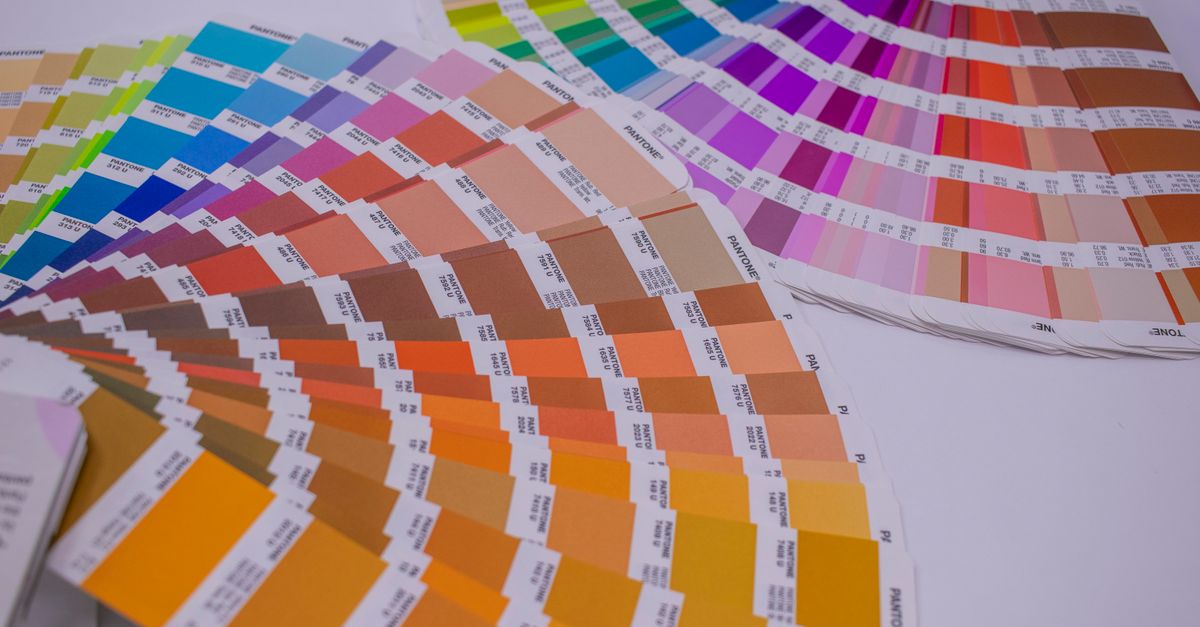
Two Conversion Paths for One RGB Value
A useful comparison starts by recognizing that “two ways” usually means a direct mathematical conversion versus a profile-aware print conversion, not two different colors or two different monitors.
Direct mathematical conversion
The browser route scales each RGB channel from 0–255 to a normalized value and applies the standard naive formula. It sets K = 1 − max(R′, G′, B′), then calculates C, M, and Y from the color remaining after the black component is removed. Pure black is handled as a special case: C = M = Y = 0 and K = 100%.
This method is transparent and repeatable. It does not use a source or destination ICC profile, and it cannot account for a particular press, ink set, or sheet of paper. Valid RGB channels run from 0–255; out-of-range values are clamped rather than rejected. The converter displays the resulting CMYK percentages along with RGB, HEX, and a live color swatch.
Profile-aware print conversion
A printer or print provider can convert through a specific CMYK profile, such as US Web Coated SWOP, FOGRA39, or Japan Color. That profile accounts for the actual inks, paper, and dot gain associated with the print process. Its percentages may differ noticeably from the browser’s naive result because it is modeling a different conversion environment.
The profile-based value is more appropriate for production, but the final check should still be a physical proof. A mathematically valid CMYK value is not the same thing as a guaranteed appearance on coated stock, textured stock, or a particular press.
| Criterion | Browser-based estimate | Profile-aware print workflow |
|---|---|---|
| Conversion basis | Naive RGB-to-CMYK math with no source or destination profile | A specific CMYK profile connected to the print conditions |
| Useful output | C, M, Y, and K percentages, RGB, HEX, and a display swatch | Profile-specific percentages and a proof or press result |
| Strongest role | Quick estimates, learning, and a sensible starting value | Preparing and checking the final production file |
| Main limitation | Cannot predict profiled press output and approximates colors outside the CMYK gamut | Depends on the selected profile, inks, paper, press behavior, and proof |
Compare Both Results on One Controlled Test
Use one representative color and record every input and output. This prevents differences in the source color from being mistaken for differences between the conversion methods.
- Choose and record one RGB input. Write down its exact red, green, and blue channel values, each from 0 to 255. A brand color, logo color, or other important swatch will make the comparison more relevant than an arbitrary test color.
- Run the direct conversion. Enter the three channels in the RGB to CMYK Converter. Read the C, M, Y, and K percentages, inspect the live swatch, and use the Copy control beside any format if you need the value for a design record or print request.
- Obtain the profile-aware result. Ask the print provider which CMYK profile they use and request the four percentages produced for the same source color under that profile. Record the profile name so the result remains interpretable later.
- Align the print conditions. Make sure the profile result and proof use the intended paper, finish, and production process. Comparing a coated-paper profile with a proof on ordinary office paper introduces another variable.
- Compare each ink channel and the appearance. Place the two percentage sets side by side, note the differences in C, M, Y, and K, and then compare the browser swatch with the printed proof. A visually close result can still contain materially different channel values. The How to Check RGB to CMYK Results After Conversion guide provides a fuller quality-control sequence.
- Choose according to the job. Keep the browser percentages as an estimate or starting point, but use the printer’s profile-based result and proof for final production. Record why you selected one result over the other.
The result should be a documented comparison rather than a search for a universally “correct” CMYK value. One number can be appropriate for a rough estimate and inappropriate for a press-ready file.
Read the Differences Channel by Channel
Do not collapse C, M, Y, and K into a single quality score. Each percentage describes one part of the proposed ink build, and a difference in one channel may be offset by differences in another. Compare the four values individually, then consider whether the overall appearance remains acceptable on the intended output.
The K channel deserves special attention because it represents the black key plate. Cyan, magenta, and yellow can also contribute to a dark color, so equal K percentages do not necessarily mean equal overall ink behavior. Conversely, a profile workflow may produce a different black allocation from the naive conversion because it is not using the same mathematical model.
- Numeric check: Compare the four displayed percentages and record the exact browser and profile-aware values.
- Screen check: Use the live swatch to confirm that the values represent the intended color and to identify an obvious loss of saturation.
- Print check: Use a proof for paper, ink, and press behavior. A monitor swatch cannot reproduce dot gain or the appearance of the stock.
Entering the CMYK percentages back into the converter returns an approximate RGB value and swatch. That inverse check is useful for confirming the arithmetic or previewing the value on a display, but it still does not reproduce the print profile or replace a physical proof.
Why the Two Answers Differ
The browser converter treats RGB as plain sRGB-style numeric data without a source or destination profile. It has no knowledge of the press, paper, selected inks, or dot gain. A print-shop conversion uses those production details through its chosen profile. The profile-based values are therefore better suited to the final file, but they can still differ from the actual press result enough to justify a proof.
Color gamut creates a second source of difference. RGB is additive and covers many very bright screen colors, while CMYK uses subtractive inks on paper. Neon greens, electric blues, and bright oranges can fall outside what CMYK inks can reproduce. The browser converter must approximate those colors, so a muted print result is not necessarily a conversion error.
You may also see a difference when one workflow represents a color with a different balance of black and colored ink. That does not make the browser estimate wrong; it means the two methods are solving different problems. For a broader look at the distinction between numerical conversion and production accuracy, see Convert RGB to CMYK Without Losing Color Accuracy.
Because profiles, stock, inks, and press conditions all influence the final appearance, neither route should be treated as a universal reference. The browser result explains the relationship between the numbers. The printer’s profile, production setup, and proof explain the likely print result.
Choose the Result for the Job
Use the comparison to match the result to its purpose rather than looking for identical percentages across unrelated workflows.
- For a rough estimate: Use the browser conversion when you need a starting CMYK value, a quick palette check, or a clear explanation of how RGB and CMYK relate.
- For a print-ready file: Use the CMYK values produced through the printer’s selected profile, then inspect the proof before approving production.
- For highly saturated colors: Expect some muting when the RGB color falls outside the CMYK gamut. Review the proof and adjust the design if the printed appearance is not acceptable.
- For important color decisions: Record the original RGB value, both converted percentage sets, the profile name, the intended stock, and the proof result. This makes the final choice explainable rather than arbitrary.
The converter handles the quick numeric side of that workflow: enter RGB, read the percentages and swatch, or enter CMYK percentages from 0–100 to obtain an approximate RGB preview. Use Copy to transfer the chosen format. Everything runs locally in the browser, and no color is uploaded, so quick comparisons can be made without sending the value to another service.