A free color palette generator turns one base HEX value into a harmonious set of colors using classical color-wheel relationships, giving you complementary, analogous, triadic, tetradic, split-complementary, or monochromatic palettes in HEX, RGB, and HSL with a single click. The math behind it is straightforward: each scheme rotates hue by a fixed angle on the HSL color wheel — complementary by 180°, analogous by ±30°, triadic by ±120°, tetradic by 90°, split-complementary by 180° ± 30°, and monochromatic keeps hue fixed while stepping lightness. Because the generator computes the relationships in HSL rather than raw RGB, swapping the base color does not silently change saturation or brightness, so the palette's mood stays intact across different inputs. Designers use free palette generators to skip the trial-and-error of picking accents by eye, and developers use them to skip the math of writing hex rotations by hand.
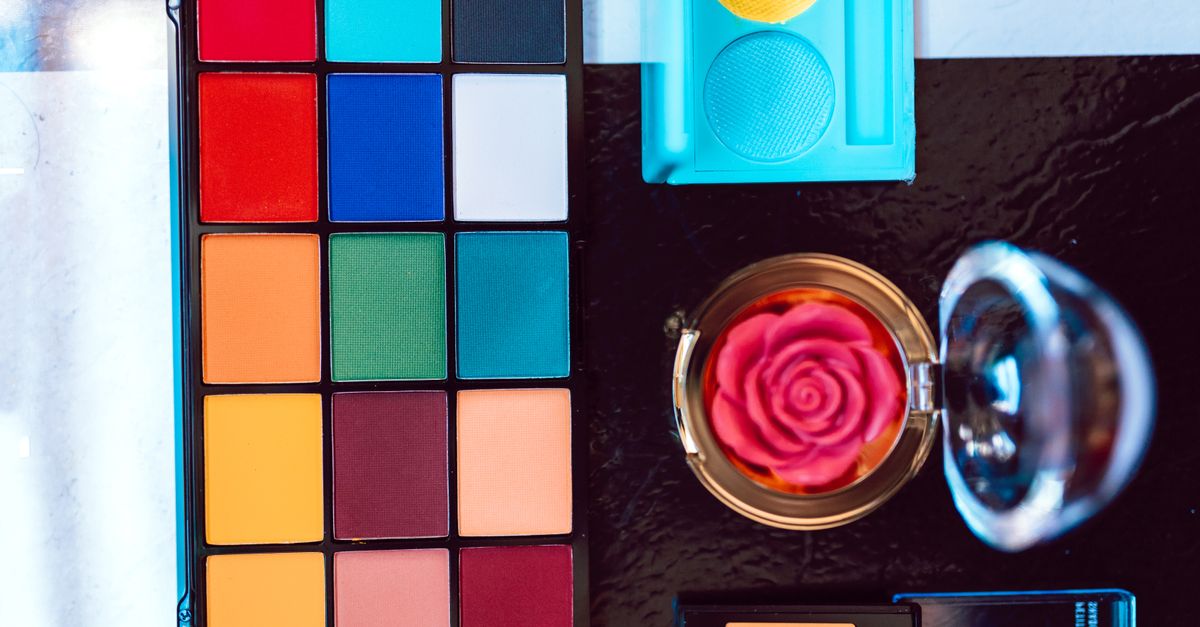
Why a Color Palette Generator Beats Picking by Eye
Picking accent colors by sight usually produces a palette that "feels okay" but breaks down the moment it is scaled across a real layout. A generator that implements color-wheel theory solves three predictable problems at once. First, it locks the relationships between colors so changing one swatch does not silently break the others. Second, it exposes every output in three formats — HEX for CSS and design apps, RGB for screen channels, and HSL for hand-tuning saturation and lightness — so the same palette can be dropped into a stylesheet, a Figma file, or a brand style guide without conversion. Third, it makes the trade-offs visible: complementary gives you high contrast for a call-to-action, analogous gives you cohesion for backgrounds, and triadic gives you vibrancy for marketing graphics.
For UI and web design, brand and logo colors, data-visualization palettes, illustration, and interior or fashion mood boards, the same six relationships cover most of the work a designer needs to do. That is why a free generator built on a real color wheel is more useful than a hand-curated swatch list: the same logic still applies when you swap in a different brand color next month, and the relationships stay predictable instead of restarting from scratch.
The Six Built-In Schemes and Where Each One Shines
The schemes correspond to fixed hue rotations on the color wheel, and each one is tuned for a different job. The table below summarizes how they behave and where they tend to fit.
| Scheme | Hue rotation | Colors | Best for |
|---|---|---|---|
| Complementary | +180° | 2 | High-contrast call-to-action accents and hero buttons |
| Analogous | ±30° | 3 | Calm, cohesive backgrounds and gradient-style transitions |
| Triadic | ±120° | 3 | Balanced vibrant sets for marketing graphics and charts |
| Tetradic | 90° | 4 | Rich two-pair schemes with plenty of variety |
| Split-complementary | 180° ± 30° | 3 | Softened contrast without the tension of a direct pairing |
| Monochromatic | Hue fixed, lightness stepped | 5+ | Tonal scale for shadows, hover states, borders, and depth |
Pick the scheme to match the job before you start fiddling with the base color. The relationship is what gives the palette its character; the base color is just where on the wheel you start.
How to Generate a Free Color Palette Step by Step
The Color Palette Generator walks you through a base color and a scheme in three short steps. No account, no upload, and the results stay in your browser.
- Pick a base color with the swatch picker, or type a HEX value such as #3b82f6 directly into the field.
- Select a scheme from the six options — complementary, analogous, triadic, tetradic, split-complementary, or monochromatic — and the palette updates instantly.
- Click any swatch to copy its HEX to the clipboard, and read the RGB and HSL values displayed beneath it.
That is the whole loop: base color in, harmonious palette out, every value ready to paste into code or a design file. To explore variations, change the base color or the scheme and the palette regenerates without reloading anything. If the first scheme does not fit the layout, switching to the next one is faster than reworking swatches by hand.
Practical Workflows for Designers and Developers
A common starting point is your brand color. Use it as the base, generate a complementary or triadic set for accents and CTAs, then switch to monochromatic to build out the neutral tints and shades for backgrounds, borders, and depth. For data visualization, triadic and tetradic schemes give you enough distinct hues to differentiate series without leaning on the same blue three times in a row. For landing pages and product UI, monochromatic on top of a single accent from a complementary or split-complementary pair tends to read clean and accessible — exactly the look most product teams reach for.
If you want to test how the palette actually performs on screen before committing, pair it with a contrast tool. The Color Contrast Checker runs the WCAG ratios for any foreground and background pair in your new palette, so you can confirm that body text and the accent button both meet AA or AAA before you ship. Designers sketching mood boards can move from the generator straight into a flat-lay or interior mockup without leaving the browser.
From Palette to Production: Formats, Accessibility, and Privacy
Every swatch on the generator is shown in three formats because each one earns its place in a different part of the pipeline.
| Format | Typical use |
|---|---|
| HEX | CSS color values, design app swatches, and brand style guides |
| RGB | Screen channels, image editing, and programmatic color values |
| HSL | Hand-tuning saturation and lightness and building tints and shades |
Contrast is the part that the color wheel cannot solve for you. A harmonious palette is not automatically an accessible one — light analogous pastels often fail body-text contrast against a white background even when they look balanced on screen. Per the WCAG guidance, body text needs at least a 4.5:1 ratio for AA and large text needs 3:1. Treat the palette as a starting point and verify the specific text and background pairs before you ship.
Privacy is the part that is easy to overlook. The Color Palette Generator runs entirely in your browser using client-side JavaScript — no sign-up, no uploads, and nothing is sent to a server. That matters when you are working with an unannounced brand color, a client mockup, or a private dashboard palette, because the colors never leave your device.
Why HSL Is the Right Math for a Free Color Palette Generator
Most free color palette generators either pick from a hand-curated list or compute hue rotations on the HSL color wheel. The second approach is more predictable because HSL separates hue from saturation and lightness, so rotating hue keeps the palette's mood intact while the relationships between colors stay mathematically correct. Color theory traces these same hue relationships — complementary, analogous, triadic — back to traditional color wheels used by painters and printers long before screens existed (Color theory, Wikipedia).
A small detail that often trips up hand-rolled generators is hue wrap-around. A hue of 350° plus 30° should land on 20°, not 380°, because hues wrap at 360°: 350 + 30 = 380, then 380 − 360 = 20. The Color Palette Generator handles that wrap explicitly, which is why a base color near red produces sensible complements near green and triads near cyan instead of falling off the end of the wheel. Getting the wrap right is also why the same scheme stays usable as you rotate through every hue on the wheel, not just the warm half.
Related reading: How to Convert Hex to RGB: A Practical Step-by-Step Guide.
Related reading: Color Mixer Online: Blend Two Colors Into Exact Hex.