CMYK color codes describe a printed color as four percentages of cyan, magenta, yellow, and black ink, with each channel running from 0 to 100, where 0 means none of that ink is laid down and 100 means the plate is fully saturated. A code written as 0, 100, 100, 0 therefore describes pure process red: no cyan, full magenta, full yellow, no black. CMYK is the working color model for offset, digital, and most commercial printing because presses deposit ink one plate at a time, and the four channels control how much of each plate is transferred to the paper. CMYK codes do not, however, tell you the exact pixel value a web browser will render, because monitors use the additive RGB model in the sRGB color space. To bridge that gap, many designers start from a CSS named color (a stable identifier such as red, rebeccapurple, or lightseagreen) and resolve its exact lowercase #RRGGBB and decimal rgb() value before sending artwork to print.
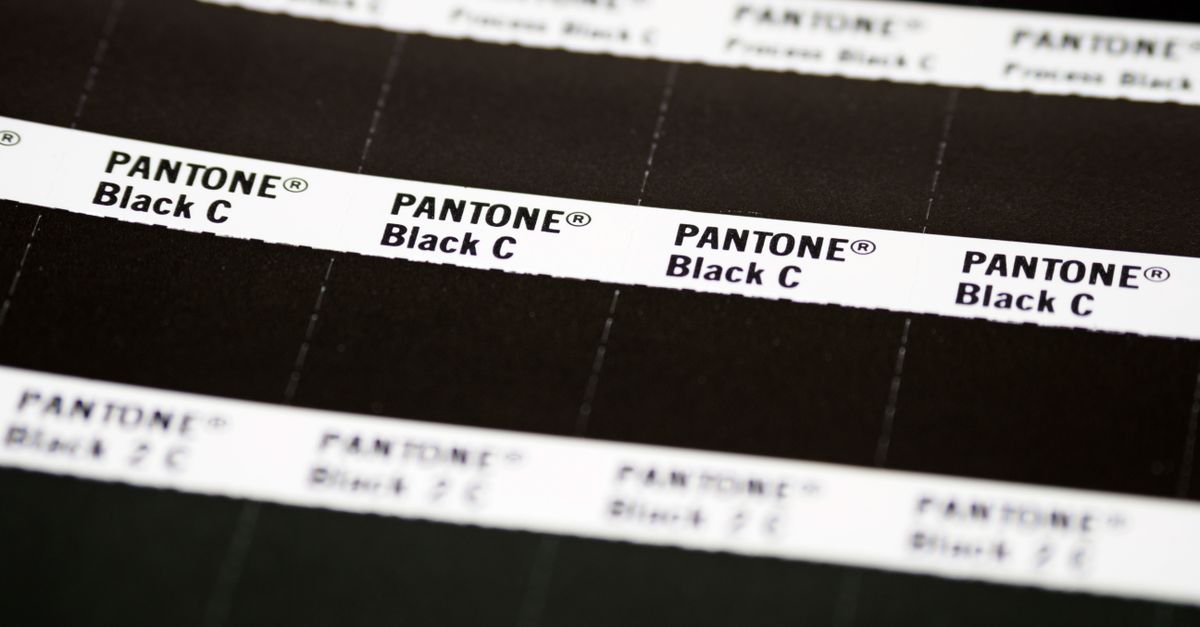
What CMYK Color Codes Represent
A CMYK color code is a four-tuple written as C, M, Y, K, where each letter is a percentage from 0 to 100. C is the percentage of cyan ink, M is magenta, Y is yellow, and K is the key plate, which carries black. K is called the key plate rather than B because in traditional letterpress and early four-color process printing the black plate carried the structural detail and registered the other three, and the term stuck. A code like 100, 0, 0, 0 means full cyan ink and no other plates; 0, 0, 0, 100 means only the black plate is laid down; 0, 0, 0, 0 means no ink at all and produces the white of the substrate. CMYK is subtractive, so each ink absorbs (subtracts) parts of the visible spectrum, and adding more ink tends to darken the result rather than brighten it, which is the opposite of how RGB light behaves on a screen.
In practice CMYK codes are written in several equivalent ways. Printers often drop the commas and write 0-100-100-0. Designers writing CSS-style values sometimes quote the same code as cmyk(0%, 100%, 100%, 0%). Software like Adobe Illustrator lets you dial each plate independently and displays the percentages live. All of these notations refer to the same four numbers and the same ink recipe, so a CMYK code is portable across the tools that consume it.
Common CMYK Color Codes at a Glance
A short table of idealized CMYK codes is a useful starting point because nearly every other value in print design is a mix or adjustment of these eight references. These are the textbook values; real-world print output drifts slightly because ink, paper, and press calibration all influence the final swatch.
| Color | C | M | Y | K | HEX Equivalent |
|---|---|---|---|---|---|
| Cyan | 100 | 0 | 0 | 0 | #00FFFF |
| Magenta | 0 | 100 | 0 | 0 | #FF00FF |
| Yellow | 0 | 0 | 100 | 0 | #FFFF00 |
| Red | 0 | 100 | 100 | 0 | #FF0000 |
| Green | 100 | 0 | 100 | 0 | #00FF00 |
| Blue | 100 | 100 | 0 | 0 | #0000FF |
| Black | 0 | 0 | 0 | 100 | #000000 |
| White | 0 | 0 | 0 | 0 | #FFFFFF |
Notice that red on screen is the absence of cyan combined with full magenta and yellow ink, while green is the absence of magenta with full cyan and yellow. These idealized mappings line up with the sRGB primaries used in CSS because the early web color model was designed to look correct next to printed process colors. Real brand inks, spot colors, and Pantone libraries fall outside this small table, which is where larger CMYK reference charts and dedicated converters become necessary.
Why CSS Named Colors Are a Useful Bridge
Browsers, image editors, and CSS preprocessors all resolve color from the same source: a list of 148 opaque named-color keywords standardized by CSS Color 4. Each keyword maps to a single lowercase #RRGGBB value in the sRGB color space, and that mapping is identical across engines. So the CSS keyword red, the keyword rebeccapurple, and the keyword lightseagreen each carry one deterministic HEX value that you can rely on across Chrome, Firefox, Safari, Edge, and any tool that implements the standard.
For print work that predictability matters. When a designer picks a named color in a stylesheet, every collaborator sees the same on-screen swatch and can convert it to CMYK without ambiguity about what was originally intended. The HTML Color Names Chart is built on top of this standardization: it lists all 148 opaque keywords with their exact HEX and RGB mappings, includes standardized aliases as separate rows, and excludes transparent and currentColor from the count because neither is a fixed opaque swatch.
The catch is that sRGB named colors describe screen light, not ink on paper. Two monitors can render the same HEX value slightly differently, and a printed CMYK conversion of that HEX value will not match the screen pixel exactly. Treat the named-color chart as the source of truth for the on-screen value, and use a dedicated CMYK converter to translate that HEX into ink percentages before sending artwork to a press.
How to Convert a CMYK Code to a CSS Named Color
The standard formula for converting an idealized CMYK code to RGB starts from the four percentages as decimals between 0 and 1. The math, with r, g, b as the resulting 0 to 255 channel values:
R = 255 × (1 − C) × (1 − K) G = 255 × (1 − M) × (1 − K) B = 255 × (1 − Y) × (1 − K)
Applied to the textbook red code C=0, M=100, Y=100, K=0 (as decimals 0, 1, 1, 0):
R = 255 × (1 − 0) × (1 − 0) = 255 × 1 × 1 = 255 G = 255 × (1 − 1) × (1 − 0) = 255 × 0 × 1 = 0 B = 255 × (1 − 1) × (1 − 0) = 255 × 0 × 1 = 0
Result: rgb(255, 0, 0), which is #FF0000. That HEX value matches the CSS keyword red exactly, so the named-color chart entry and the original CMYK code agree without any rounding. The same formula applied to C=100, M=0, Y=100, K=0 yields rgb(0, 255, 0) and the CSS keyword green; applied to C=100, M=100, Y=0, K=0 it yields rgb(0, 0, 255) and the CSS keyword blue. The textbook primaries are intentionally aligned so the CMYK ideal and the sRGB ideal meet on the same HEX.
How to Look Up a Color in the HTML Color Names Chart
When the goal is to verify what a CSS named color actually resolves to on screen, or to copy a stable HEX value for a stylesheet or print hand-off, the fastest path is the HTML Color Names Chart. The chart runs entirely in the browser and does not send any search or copied value to a server, so it is safe to use on client work. Use these steps in order:
- Open the chart and locate the filter input at the top of the table.
- Type part of a CSS color name (such as red, gold, slate, or rebeccapurple), an exact six-digit #RRGGBB value, or a complete rgb(...) string. Keyword matching is case-insensitive and matches fragments, so typing ray returns both gray and grey.
- Review each matching row. The row shows the standardized CSS keyword, a rendered swatch, the lowercase six-digit HEX, and the decimal rgb(r, g, b) value. If your filter began with #, the chart switches to exact HEX matching; a complete rgb(...) string is matched exactly so a short numeric fragment cannot accidentally match an unrelated channel value.
- Click the HEX cell to copy it. The chart only reports success once the browser resolves the clipboard write, so a visible success indicator means the value is in your clipboard. If clipboard permission is denied, the keyword, HEX, and RGB text remain selectable for manual copying.
- Clear the filter to restore all 148 rows. Clearing never alters a mapping or merges alias rows.
The chart also handles aliases without surprises. Aqua and cyan both appear as separate rows mapping to #00ffff, and fuchsia and magenta both appear mapping to #ff00ff. American and British gray spellings coexist for several names, so the chart preserves both rather than picking one. Treat each spelling as a valid CSS identifier when reading or maintaining existing stylesheets.
Aliases, Edge Cases, and the 148-Row Count
The 148 number is the count of opaque named-color keywords standardized by CSS Color 4. It is not a marketing total, and it is not padded with duplicates: each row is one valid CSS identifier. Standardized aliases appear as separate rows because they are distinct identifiers in the grammar of CSS, even when they resolve to the same sRGB triplet. The clearest pair lives in the table below.
| Keyword A | Keyword B | Shared HEX |
|---|---|---|
| aqua | cyan | #00ffff |
| fuchsia | magenta | #ff00ff |
A chart that merged those rows would hide a real piece of CSS grammar, so the HTML Color Names Chart keeps both spellings visible. Two well-known keywords are deliberately absent from the 148-row count. Transparent is the special keyword for fully transparent black; it has no single opaque HEX value, so it would distort the table to list it among the named swatches. CurrentColor is also excluded because its resolved value depends on the computed color property of the element it appears in, which means it has no standalone HEX. Keeping both out of the opaque table prevents a misleading numeric mapping.
Per the W3C CSS Color 4 specification, the full list of named colors is the authoritative source for any standardized mapping; for day-to-day lookup, the HTML Color Names Chart preserves the same identifiers in ASCII alphabetical order. The MDN named-color reference cross-references the same keywords with browser notes. Neither source is a perceptual palette, an accessibility rating, or a promise about how a physical pigment will reproduce on a particular display.
When to Use a Dedicated CMYK Tool Instead
The HTML Color Names Chart is the right tool when you need to confirm what a CSS name resolves to, copy a stable HEX or RGB value, or check whether two keywords are aliases. It is not a CMYK generator and does not produce ink percentages. CMYK conversion depends on the specific printer, ink set, paper stock, and ICC profile in use, and a single HEX value can produce visibly different CMYK mixes under different conditions.
For artwork that has to go to a commercial press, use the dedicated RGB to CMYK Converter to translate a HEX value into print percentages, or the CMYK to RGB tool to preview uncalibrated print values on screen. The named-color chart is built around the 148 opaque keywords and their sRGB mappings, so reaching for it as a general-purpose color tool will give you incomplete answers for gradients, palette generation, or image sampling.
Accessibility decisions should also not be made from a name alone. Contrast depends on the foreground-background pair, the text size, the weight of the glyphs, and the applicable guidance such as WCAG 2.x AA or AAA. A color name like lightgray and a color name like dimgray sound similar, but their actual contrast ratios against a given background can differ. For that decision, use the Color Contrast Checker rather than guessing from the keyword.
If you're weighing options, Gradient Generator on Windows: Build CSS in Edge covers this in detail.
If you're weighing options, Is the CSS Checkbox Generator Output a Native Control? covers this in detail.