A reliable vector CMYK chart starts with a reliable source of color values, and the 148 opaque CSS named colors defined in the W3C CSS Color 4 specification give you exactly that: a fixed, alphabetized list where every keyword maps to a single, verified sRGB HEX and decimal rgb() triplet. Instead of hunting for a "CMYK color chart vector free download" file that may have been redrawn from someone else's interpretation, you can pull each standardized mapping from the HTML Color Names Chart, convert it to CMYK through a transparent formula, and lay out the result as clean vector swatches. That pipeline gives you a print-ready reference you can actually defend when a designer asks where a percentage came from, and it removes the guesswork that comes with resampled, lossy, or hand-keyed chart files floating around the web.
The catch is that "free vector CMYK chart" results are usually one of three things: a redrawn PDF of swatches with rounded CMYK values, a stale PNG posted years ago, or a small SVG file with maybe a dozen colors and no source. None of those tell you what standard the values follow, and most do not match the exact color you see on screen. CSS named colors, on the other hand, are part of a published specification, every keyword resolves in the sRGB color space, and the underlying numeric values are the same in every browser that supports CSS Color 4. Building a vector chart from that source gives you a single document of truth rather than a stitched-together graphic.
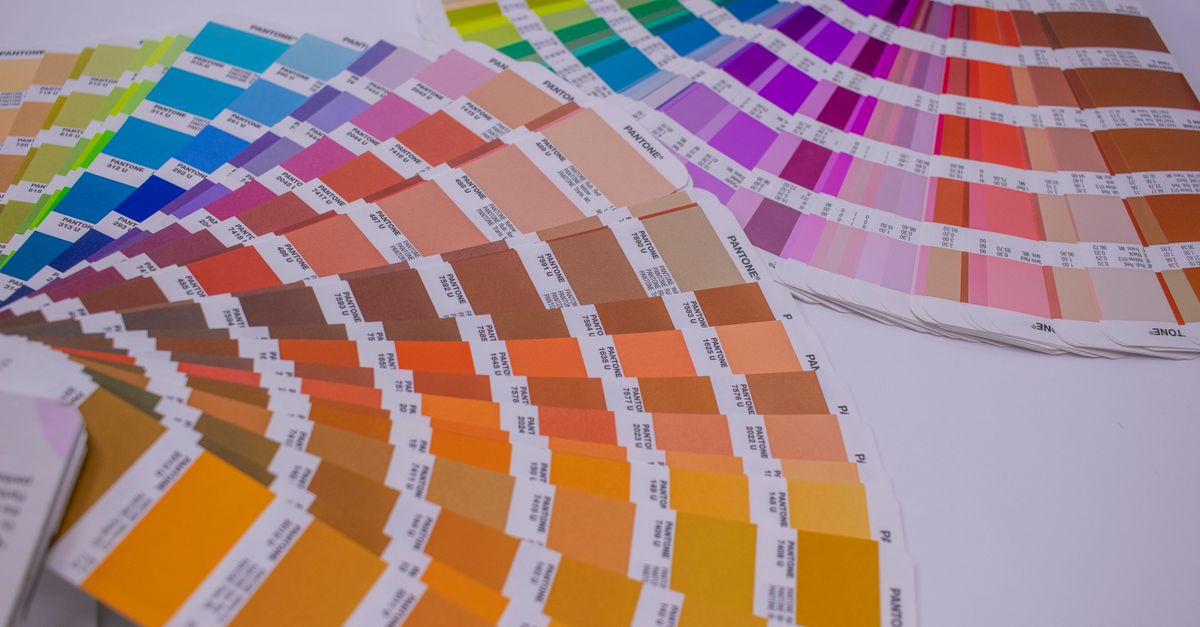
The Problem With Most Free CMYK Vector Charts
When a designer searches for a CMYK color chart vector and clicks the first download, they usually get a swatch grid with a few problems baked in. The colors may have been eyeballed and rounded to nice percentages, so the chart claims a value that does not actually convert back to the RGB swatch beside it. The file might be a flattened PDF or a low-resolution PNG inside an SVG wrapper, which defeats the entire point of asking for vectors. And the swatch set is often partial — sixty colors, a hundred colors, or a curated "designer favorites" list that excludes useful entries like rebeccapurple, cornflowerblue, or the British/American gray spellings you may still find in legacy stylesheets. None of those download files cite a single authoritative source, and that absence is exactly what makes them hard to trust when a client asks where a swatch value originated.
The CSS named-color set solves this by being a closed list. There are 148 opaque names, all of them defined in the same specification document, all of them tied to a specific lowercase six-digit HEX value, and all of them rendered the same way on every conformant browser. Working from that list means your chart has 148 rows because the standard has 148 rows, and any deviation you make is your choice rather than an accident of whoever redrew the file last.
Anatomy of a Reliable Vector CMYK Reference
A CMYK reference is only as good as the data behind it, so a defensible vector chart documents every piece of information needed to recreate the swatch on screen or send it to press. The five pieces worth including in every row are the CSS keyword, the lowercase HEX value, the decimal rgb() triplet, a CMYK approximation, and a vector swatch that fills with that exact color. The keyword and HEX come directly from the CSS Color 4 specification; the decimal RGB is the same mapping written in another notation; the CMYK percentage is the screen-to-print conversion result; and the swatch is a solid fill that scales to any size without artifacts.
| Row field | Example value | Why it belongs in the chart |
|---|---|---|
| CSS keyword | cornflowerblue | Stable identifier usable directly in stylesheets and design tokens |
| HEX (lowercase) | #6495ed | Exact sRGB anchor for screen math and copy/paste into other tools |
| Decimal RGB | rgb(100, 149, 237) | Pipe-friendly notation for scripts, JSON tokens, and image tooling |
| CMYK approximation | C 58% / M 37% / Y 0% / K 7% | Print reference for offset and digital workflows (uncalibrated) |
| Vector swatch | Solid rectangle | Scales without raster artifacts; matches the keyword on screen |
Note that two keywords like aqua and cyan both map to the same value, and so do fuchsia and magenta. These are not typos — the chart keeps both spellings as separate rows because each one is a valid CSS identifier. A print shop reading one stylesheet may not recognize magenta as the keyword they expect to see in a CMYK chart, and keeping the alias visible saves a round of confusion. The same logic applies to gray/grey pairs and to all 148 rows that the CSS Color 4 standard lists.
Pull the 148 CSS Color Names in Under a Minute
- Open the HTML Color Names Chart in any modern browser; the table loads with all 148 opaque keywords in ASCII alphabetical order.
- Decide your copy method. For a single color, type a fragment of a keyword such as corn into the filter; the chart narrows in real time and preserves the standardized alphabetical ordering of the matches.
- For an exact lookup, type the six-digit lowercase HEX (#6495ed) or a complete rgb(100, 149, 237) string. The chart treats both as exact matches so a stray 100 does not accidentally pull a color whose red channel happens to be 100.
- Read the row: keyword, lowercase HEX, decimal RGB, and the rendered swatch all appear on the same line, so you can sanity-check the color next to the number.
- Click the HEX value in the row you want to copy. The chart requests a clipboard write and copies the bare six-digit value without changing capitalization or wrapping it in any CSS declarations. If clipboard permission is denied, the visible HEX text remains selectable for a manual copy.
- Clear the filter to restore all 148 rows whenever you need the complete reference; the table never loses rows because of a query.
Because everything runs in the browser, the chart never sends your filter input, your copied value, or the keyword list to a remote server. That matters for designers working with unreleased brand palettes, internal token lists, or any color data that has not been approved for external review yet.
Convert Each HEX to a CMYK Percentage
Once a HEX is on your clipboard, the next step is the screen-to-print math. CMYK percentages are not stored on the CSS named-color side; they are computed from the sRGB triplet using a single deterministic formula, which is why every designer working from the same RGB value gets the same CMYK output (assuming the same conversion math). For any opaque named color, the conversion uses integer channels normalized to a 0–1 range, then derives black ink from one minus the maximum channel and pulls cyan, magenta, and yellow from the remaining differences.
Worked example using cornflowerblue:
Step 1 — normalize channels: R = 100 / 255 = 0.392, G = 149 / 255 = 0.584, B = 237 / 255 = 0.929. Step 2 — compute black ink: K = 1 − 0.929 = 0.071, or 7%. Step 3 — compute cyan: C = (1 − R − K) / (1 − K) = (1 − 0.392 − 0.071) / 0.929 = 0.537 / 0.929 = 0.578, or 58%. Step 4 — compute magenta: M = (1 − G − K) / (1 − K) = (1 − 0.584 − 0.071) / 0.929 = 0.345 / 0.929 = 0.371, or 37%. Step 5 — compute yellow: Y = (1 − B − K) / (1 − K) = (1 − 0.929 − 0.071) / 0.929 = 0 / 0.929 = 0, or 0%.
The result for cornflowerblue is roughly C 58% / M 37% / Y 0% / K 7%. You can repeat the same five steps with any of the 148 names, or you can drop the HEX into an automated tool such as the RGB to CMYK Converter to skip the arithmetic. The conversions produced this way are uncalibrated approximations, so they are best used as a starting point for a designer or press operator to fine-tune rather than as binding press settings — the formula is reproducible, but the final ink values depend on the press profile and substrate.
Build a Clean Vector CMYK Chart From the Data
With the source numbers in hand, the vector layout step is mostly mechanical. The shortest path is a table-driven workflow that translates each row into a flat list, then drops that list into the vector editor of your choice.
- Spreadsheet pass. Paste keywords, HEX, RGB, and the computed CMYK into columns. Most vector tools can read CSV or tab-separated text directly.
- Inkscape / Illustrator pass. Use the SVG Pattern Generator or the rectangle grid in your editor to lay each row out as a swatch tile. A 148-row grid fits comfortably on a single A3 sheet at roughly 14 columns by 11 rows, with room for labels.
- Figma pass. Duplicate a swatch component 148 times and bind each one to a style variable populated from the chart. Binding keeps the value single-sourced: if a brand changes a HEX, every swatch updates.
- CSS / SVG strip. An SVG document with 148 <rect> elements and matching <text> labels is the same chart in a different format and can be served as a stylesheet resource.
Vector output is what makes this approach pay off. A PNG swatch chart stays fixed at one resolution; the same chart rendered as a vector grows and shrinks without resampling, so it works as a printed poster, a desktop reference, and a thumbnail inside a Notion or Confluence page. The chart also reads cleanly through screen readers when each row exposes the keyword and a hex value as text content rather than baking the information into the image.
Verify Aliases and Edge Cases Before You Export
Before you publish the chart, walk the file for three classes of detail that are easy to miss. The first is alias rows: aqua and cyan both anchor to #00ffff, and fuchsia and magenta both anchor to #ff00ff. Treat each as its own row rather than collapsing them, because downstream stylesheets may reference one spelling or the other and a merged row removes the trail. The second class is the British/American gray pairs (gray / grey, dimgray / dimgrey, and so on); the CSS Color 4 standard lists both spellings and the W3C named-colors reference documents each pair, so any reference chart that drops one spelling is incomplete. The third class is the boundary entries: aliceblue is the first ASCII-sorted keyword, yellowgreen sits near the end, and rebeccapurple is a special entry added to the standard in honor of Rebecca Meyer — it is not a generic purple, it is the specific #663399 mapping.
The tool guards against most of these pitfalls on its own. The dataset is locked by invariants: 148 rows, 148 unique keyword keys, six lowercase hexadecimal digits per value, and separate alias rows. The chart never merges aliases, never rewrites a HEX in mixed case, and never invents fuzzy synonyms that turn blue into navy. When you copy a value out, what you see on the row is what you get on the clipboard, which is the contract you want before any of those 148 numbers end up in a client deliverable.
For context on how the named colors sit inside the broader screen-to-print workflow — and for print-specific guidance on swatches, ink limits, and substrate expectations — the CMYK Color Chart for Printing: Start From CSS Names walkthrough covers the same 148 colors from the press operator's side. And if you need to map every named color into a printable chart in one batch, the CSS Code to CMYK Chart guide does exactly that and documents each conversion alongside the source value.