In weaving, PPI means picks per inch, and you calculate it by dividing the number of weft-pick intervals in a measured fabric sample by that sample's length in inches.
This is textile PPI, not screen pixel density. The related PPI Calculator takes horizontal and vertical pixel resolution plus a screen's diagonal size, so it cannot calculate weaving PPI from a fabric measurement. Use the fabric method below for picks per inch; use the linked tool only when pixels are what you are measuring.
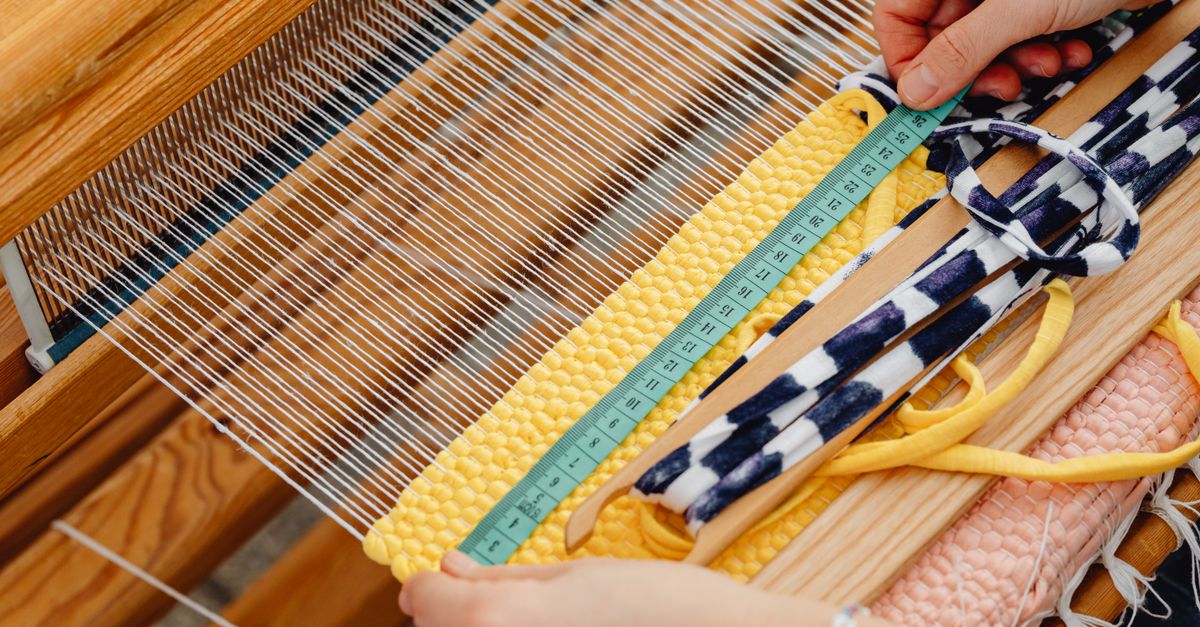
Textile PPI, screen PPI, and print DPI
The abbreviation PPI has several meanings in craft, design and technology work. In weaving it counts weft threads, on a display it counts pixels, and in printing the related term DPI counts ink dots. Each requires different information, so the first step is to identify what the measurement describes.
| Measure | Context | What one unit represents | Calculation basis |
|---|---|---|---|
| Textile PPI | Weaving and woven fabric | One weft pick | Pick intervals divided by measured inches |
| Screen PPI | Displays and monitors | One display pixel | Diagonal pixel count divided by diagonal inches |
| Print DPI | Printed output | One ink dot | Image resolution matched to the print size |
A pick is a weft yarn carried across the warp. To measure textile PPI, determine how many pick positions occupy a fixed span measured in the warp direction. The result describes fabric construction rather than image sharpness, and it cannot be calculated from a screen's pixel resolution.
How weaving PPI fits into fabric sett
PPI is one half of a fabric's sett. The matching warp measurement is ends per inch, or EPI: the number of warp ends crossing a one-inch span measured in the weft direction. A fabric's sett is therefore stated as an EPI/PPI pair, which may appear as a density target in a weaving draft or pattern.
A denser weft generally packs more yarn into the fabric's crosswise structure. This can influence hand, drape, coverage, stability and durability, but PPI does not identify the fabric on its own. Yarn diameter, EPI, fibre content, weave structure and finishing also affect the finished cloth. More picks are not automatically better; the appropriate density depends on the fabric you intend to make.
Measure PPI in a finished fabric sample
Use a finished sample when your goal is to determine the fabric's actual density. Keep the cloth flat and relaxed, and use the following method:
- Prepare the sample. Relax the fabric so it is not stretched, compressed or folded. Lay it flat, and avoid areas with wrinkles, heavy selvedges or obvious distortions.
- Choose the correct direction. Measure along the warp direction, from one point to another. The weft picks cross that measurement, and their count represents the density in the weft direction.
- Mark a known length. Use a ruler to mark a span of L inches on the fabric. A longer span generally reduces the effect of individual thread-placement variations, but it must still be measured accurately.
- Count the pick intervals. Count the spaces between the centres of successive weft yarns within the marked span. If you count yarn centres inclusively, subtract one to obtain the number of intervals between the first and last centres.
- Divide the intervals by the length. Use PPI = number of pick intervals ÷ measured length in inches. If the span was measured in centimetres, convert it to inches by dividing the centimetre value by 2.54 before making the calculation.
- Repeat the count. Measure several areas, especially if the cloth looks uneven. Record each result and the variation rather than relying on a single possibly atypical section.
For example, 40 pick intervals measured across 4.0 inches gives PPI = 40 ÷ 4.0 = 10 picks per inch.
Counting intervals avoids the common off-by-one problem that occurs when yarns touching the boundaries of a marked area are counted without a consistent rule. It also separates the textile measurement from the screen-density formula, where a diagonal pixel count and a diagonal physical measurement are required. A fractional result can be legitimate when counts are averaged across several spans; keep the raw measurements so the precision of the final figure remains clear.
Plan a target sett and verify the cloth
Before weaving, a pattern or draft may specify a target PPI. That is the intended number of picks to place in each inch of cloth. In mechanical terms, the loom advances one divided by the target PPI inches for each pick. This gives a starting target, but it does not prove the density of the finished textile.
| Source | What it represents | How to use it | Important limitation |
|---|---|---|---|
| Pattern or draft target | Intended fabric density | Use as the construction target | Does not confirm the achieved density |
| Loom setting or take-up plan | Planned pick placement | Check that units and cloth advance agree | Actual cloth can differ after weaving and finishing |
| Finished fabric sample | Achieved textile density | Count pick intervals over known lengths | Results may vary across the cloth |
| Yarn count or diameter | Properties of the yarn | Use when selecting yarns and planning density | Yarn information alone does not determine a universal target PPI |
Treat the target and the measured result as separate pieces of information. Tension, yarn compression, cloth take-up and finishing can affect how the structure settles, which is why measuring the finished sample remains the most direct check. If a project calls for a specific PPI, record both the intended value and the value obtained from the cloth.
Avoid errors that distort the count
- Measuring along the wrong axis. A weft-density measurement follows the warp direction. Measuring across the width counts warp ends instead and can lead to an EPI value being mistaken for PPI.
- Mixing yarns and intervals. Counting visible yarn bodies inside a boundary can produce inconsistent totals. Count the intervals between pick centres or apply the same boundary rule to every sample.
- Measuring a stretched or compressed area. Pulling the cloth to reach a ruler mark changes the spacing you are trying to measure. Release folds and allow the sample to lie naturally.
- Using inconsistent units. A result labelled PPI must be based on inches. If the sample was measured in centimetres, convert the length to inches, then divide the interval count by that length.
- Choosing only one unusual area. Avoid folds, slubs, repairs and visibly open sections when selecting measurement locations. Repeat the process in several parts of the sample.
- Rounding before comparisons are complete. Keep the count and measured length available so results from different areas or fabrics can be compared on the same basis.
A useful sample record states the measured length, the number of pick intervals, the resulting PPI, and the locations tested. If the readings vary, report that variation rather than presenting one figure as universal for the entire piece.
Use screen PPI for display measurements
If the information you have is a pixel resolution and a display's diagonal size, you are calculating screen pixel density rather than weaving PPI. The formula is screen PPI = √(width² + height²) ÷ diagonal size in inches. For an explanation of the distinction between display and print terminology, see how PPI and DPI relate.
- Enter the screen's horizontal and vertical resolution in pixels. Use the display's actual pixel grid rather than a marketing resolution label when that value is available.
- Enter the diagonal screen size in inches. You can also select a supported preset such as 1080p at 24 inches.
- Read the calculated results. The linked calculator displays PPI, dot pitch, pixels per centimetre, aspect ratio, diagonal pixel count and total megapixels, with the results updating as you type.
The PPI Calculator runs locally in the browser, requires no signup or installation and does not upload your numbers. Its dot-pitch output describes the distance between neighbouring pixel centres in millimetres, while pixels per centimetre provides the equivalent density in metric units. These are useful display comparisons, but they do not describe the number of yarns in woven fabric.
Screen PPI also needs context. A higher value can produce a sharper appearance only while the individual pixels remain distinguishable at the viewing distance. Interface scaling and the resolution of the content being displayed also affect the result, so pixels per inch should not be treated as the only measure of perceived image quality.
Record weaving results clearly
For a textile report, label the value “picks per inch” or “weaving PPI” and include the measurement method. A complete record gives the measured span, number of pick intervals, calculated PPI and any variation found across the sample. Add the corresponding EPI measurement when the full sett matters.
Do not substitute a screen pixel-density figure for a fabric-density figure. The calculations share an abbreviation but describe different physical structures: woven picks arranged in cloth, and display pixels arranged across a screen. Selecting the correct interpretation protects both the accuracy of the result and the meaning of the number you publish or use in a weaving plan.