Calculating online tax means using an in-browser calculator — like the Online Calculator — to run the arithmetic behind everyday tax math: multiplying a price by a rate to find sales tax, adding that tax to a subtotal, dividing a bill by the number of diners, and chaining those operations until the figure on screen is the one you need. The tool covers the four core operations — addition, subtraction, multiplication, and division — through either a clickable keypad or your physical keyboard, and every keystroke updates the display instantly. Nothing leaves the page: no numbers, results, or formulas are uploaded anywhere, which makes the calculator appropriate for figures you would rather not share with a third-party tax service. Because the engine is JavaScript running locally on your own device, the page keeps responding after the first load even if your internet drops. For most of the small computations that show up between formal tax filings — tip plus tax, sales tax on a single receipt, per-person shares, refund math, and quick business-expense checks — that combination of fast local arithmetic with predictable rounding and clear error handling is more than enough.
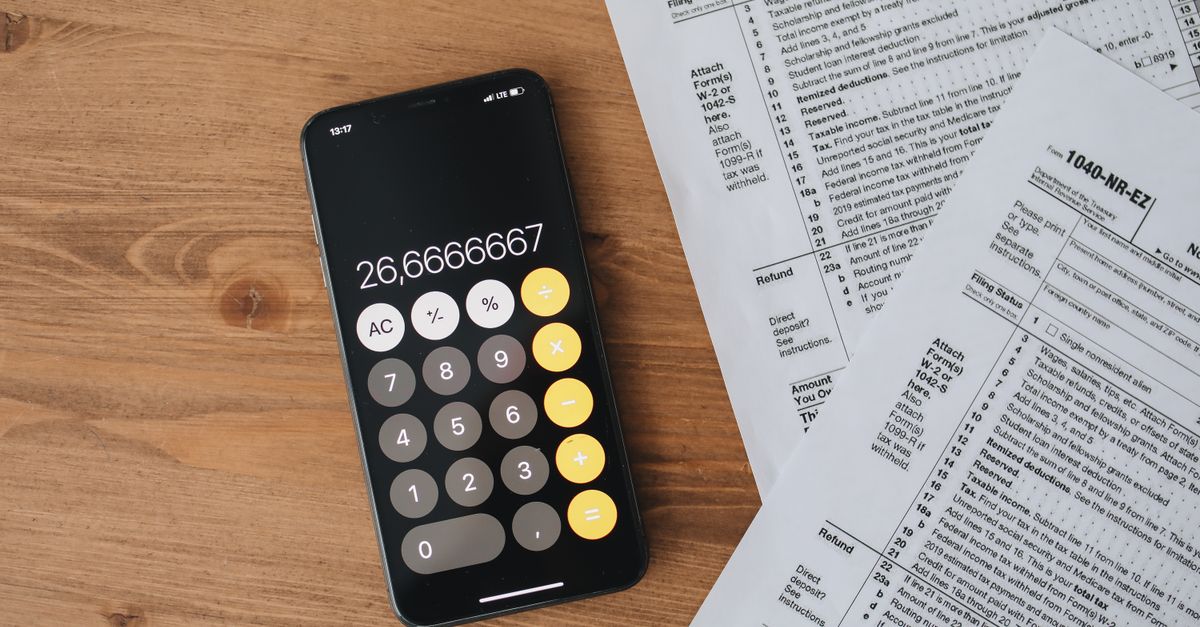
Why a Browser Calculator Works for Tax Math
Tax arithmetic, at the level most people actually do day to day, is just four operations. You multiply a price by a percentage to get a tax amount, add the result to the subtotal, divide the total by the number of people paying, and subtract a discount or a refund where one applies. Because each step is a single arithmetic move, a clean four-function calculator covers almost all of it without the menus, modes, or operator-precedence rules of a scientific calculator. The Online Calculator handles every one of those steps in exactly the same way a physical desk unit does, with the display updating the instant a key is pressed.
Three other properties matter for tax work specifically. First, the calculator evaluates left-to-right, which is what most people expect when they chain steps by hand. Second, edge cases like dividing by zero do not crash the page — the display shows "Error" and a single press of C starts a fresh calculation. Third, floating-point noise is rounded away, so deceptively tricky chains like 0.1 + 0.2 read as the clean 0.3 you would expect, instead of a long string of trailing digits. Extra decimal points are ignored, decimals and negative numbers are handled cleanly, and long multi-step chains all behave the way you would expect from a hardware calculator.
Tax Calculations You Can Run on the Online Calculator
The following table lists common tax-shaped computations and the operation chain each one uses. None of these are formulas you have to memorize; they are sequences of the four basic operators the calculator already supports. Pick the row that matches your situation, plug in your numbers, and follow the chain.
| Tax calculation | Operation chain | Where it shows up |
|---|---|---|
| Sales tax on a single item | price × rate ÷ 100, then round | Retail receipts, online checkout |
| Total bill with tax included | subtotal + (subtotal × rate ÷ 100) | Restaurant check, e-commerce |
| Per-person split | (subtotal + tax) ÷ number of people | Group meals, shared costs |
| Discount then tax | price × (1 − discount%) then add sales tax | Promo code plus sales tax |
| Tip on the pre-tax base | base × tip% | Hospitality work, service tips |
| Refund math | paid − returned, or price × (1 − return%) | Returns, reimbursements |
| Extract base from tax-inclusive price | inclusive ÷ (1 + rate ÷ 100) | Verifying a receipt |
All of these chains collapse to the four operators — +, −, ×, ÷ — plus the percent key (%) and the sign-flip key (±) where it helps. If a step depends on a percentage expressed as a decimal (for example, 8.875% becoming 0.08875), the calculator handles that division alongside the rest of the chain without any mode switch.
How to Run a Tax Calculation in Your Browser
- Open the Online Calculator in any modern browser — desktop or mobile. There is nothing to install, no account to create, and the page loads as a static file.
- Type the first figure, such as the item price, using either the on-screen number keys or your physical keyboard.
- Press the operator you need: × to multiply by a tax rate, + to add tax to a subtotal, − to subtract a discount, or ÷ to split the cost by the number of people.
- Type the second number. For sales tax expressed as a percentage, enter the rate after pressing ×, then press ÷ 100 in sequence — the calculator will chain the operators and produce the converted decimal.
- Press = (or hit Enter) to see the result appear on the display instantly.
- To keep going, just type the next operator and the next number — the calculator chains off the previous result instead of starting over.
- Press C to clear everything, ⌫ (or Backspace on a keyboard) to delete the last digit, ± to flip the sign of the displayed value, or % to convert the current value into its decimal form.
The same flow works in reverse, so if you only have the tax-inclusive price and need to extract the base, you can still use ÷ and a subtraction at the end without leaving the page. On a keyboard, Esc clears and Backspace deletes one digit, so muscle memory from a desktop calculator transfers cleanly into the browser.
Worked Example: Sales Tax on a Single Item
To make the chain concrete, take a taxable item priced at $48.50 in a jurisdiction with an 8.875% combined sales tax. The whole calculation fits on the Online Calculator in a single chained entry:
- Enter 48.50 using the keypad or keyboard.
- Press ×, then enter 8.875, then press ÷, then enter 100, then press =. The display reads 4.304375, which is the unrounded tax amount.
- Round the tax amount to cents using the calculator's built-in rounding: $4.30.
- Press +, then enter 48.50 (or chain + 48.50 directly from the previous result), then press =. The final price reads $52.80 on the display.
That single chain — 48.50 × 8.875 ÷ 100 + 48.50 — covers both the tax amount and the final total without ever leaving the calculator. The 4.304375 intermediate figure is the exact mathematical result; the rounded $4.30 is what you would write on a receipt, and the $52.80 is what you would actually pay.
Privacy and Offline Use for Tax Figures
For figures that touch anything sensitive — a draft W-2 estimate, a freelance invoice, a refund you are still negotiating — the privacy story is often the reason people reach for a separate tool in the first place. The Online Calculator runs entirely in the browser using local JavaScript. No numbers, keystrokes, or results are uploaded, logged, or sent to any server, and the math engine sets no tracking cookies of its own. Because everything happens on your own device, the page also keeps working once it has loaded even if you go offline, which makes it practical for travel, flights, or any moment your connection is unreliable.
That said, "private" only describes the calculation itself. The browser tab is still a browser tab, so if your device is shared or your browser stores session data, treat the screen the way you would treat any open document. Closing the tab or pressing C on the calculator discards the previous figures from the page, which is usually enough for everyday use.
When a Basic Calculator Reaches Its Limit
The Online Calculator is built for the arithmetic small enough to fit on one line. Once a tax problem grows past a single chain — a full progressive bracket, an amortization schedule, a piecewise formula, or any calculation that requires parentheses with operator precedence — it is time to switch. A scientific calculator adds exponents, roots, logarithms, trigonometry, and bracket-aware evaluation; a percentage calculator handles "what is X% of Y" or "Y is what percent of Z" as a single step; date tools cover the day-counting that shows up around tax-year boundaries.
For the long tail of everyday tax math — the receipt at the register, the tip on a dinner, the per-person split after everyone has agreed on the split — the four-function approach is faster, easier to verify by eye, and hard to outgrow. Pair that with the local-only privacy model and the ability to keep working offline, and the case for running the arithmetic on the same calculator you would otherwise reach for on your desk is a strong one.
For a deeper look, see How to Find Your USAA Online ID Step by Step.