Beat one is higher in pitch, not faster: it is the accented downbeat that marks the beginning of each measure.
A metronome needs to communicate two separate things: where each beat falls and where one measure ends. The regular click handles the tempo, while the higher first-beat tone gives your ear a clear boundary marker. In the Online Metronome, beat one is produced at 1320 Hz, while beats two onward are produced at 880 Hz. That contrast is designed to make the beginning of each measure easier to recognize.
The accent does not mean that the first beat receives more time, arrives ahead of the others, or runs at a different tempo. It is a pitch cue. The two frequencies are product cues rather than standardized note names, concert pitches, or claims about an ideal practice sound, and the device volume and listening environment determine how prominent the accent actually sounds.
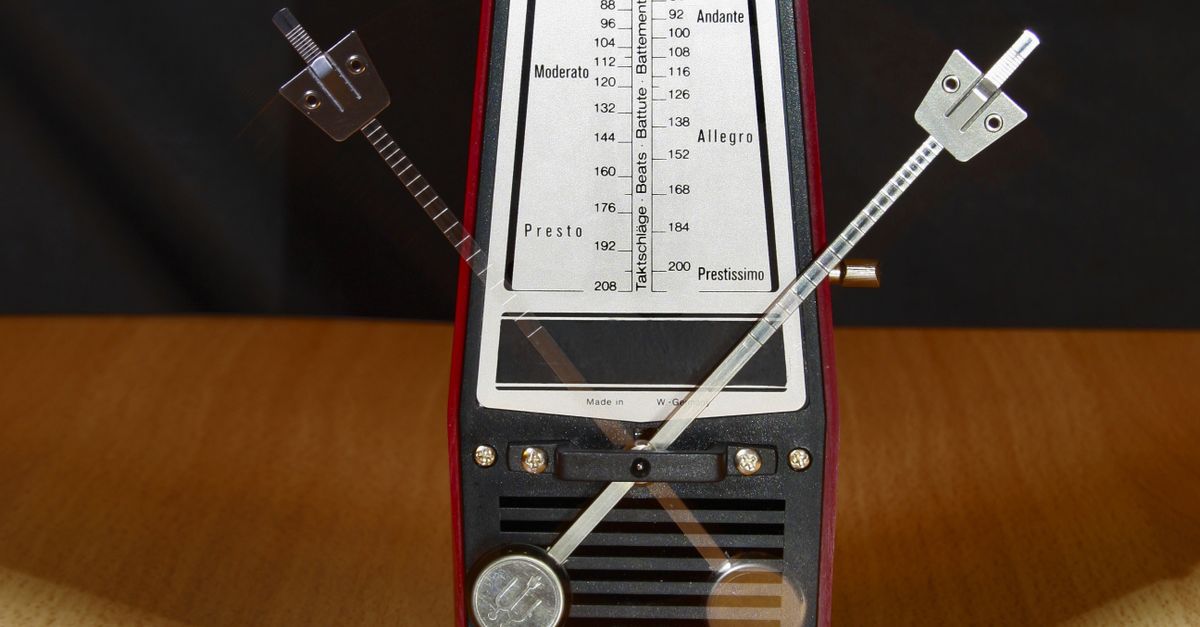
Beat One Marks the Measure Boundary
Every click in the Online Metronome is scheduled using the same tempo interval: 60 divided by BPM. The higher first beat therefore arrives at the normal beat interval but carries a different sound. In a four-beat measure, for example, the pattern is a higher click followed by three lower clicks, and then the higher click returns to begin the next measure.
This distinction matters when several beats repeat at the same speed. Without an accent, the listener must infer where one group of beats ends and another begins. The higher tone removes some of that ambiguity, which is useful for rhythm exercises, scale practice, reading, or maintaining a steady pulse over a longer passage.
The clicks are short browser-generated sounds rather than recordings. Each one is created with a small oscillator and a gain envelope, so the tool can mark the beat without sustaining a long tone. The audio is produced locally in the current browser tab; it does not request microphone access, record anything, upload a file, require an account, or send server audio.
Set the Tempo, Measure, and Accent
Use the following workflow to hear the first-beat accent in its intended position:
- Enter a whole-number tempo from 30 through 240 BPM in the tempo field.
- Choose a measure length from one through twelve beats per measure.
- Select Start and listen for the higher click that marks beat one.
- Follow the repeating click pattern, keeping the browser tab in the foreground when you need the most responsive timing.
- Select Stop before leaving the page. Stopping closes the audio context, cancels the next scheduled click, resets the visual beat, and returns the metronome to a stopped state.
Tempo and measure length must be entered as plain, untrimmed whole numbers. Signs, spaces, decimal points, exponent notation, units, blank values, tempos outside the 30-240 BPM range, and measure lengths outside one through twelve are rejected instead of being rounded or capped. Editing either value stops playback before the new value can take effect, so select Start again after making a change.
Starting also closes any older audio context before creating a new one, while a playing guard prevents duplicate starts from layering another sequence of clicks. If Web Audio is unavailable or startup is rejected, the tool shows an error and does not remain in a stale playing state.
How the Two Click Tones Differ
The distinction between the accented and regular clicks is deliberately narrow:
| Signal | Beat One | Later Beats |
|---|---|---|
| Pitch | 1320 Hz | 880 Hz |
| Primary purpose | Marks the beginning of a measure | Shows the beats within that measure |
| Effect on tempo | None | None |
| Timing role | Uses the normal beat interval | Uses the same normal beat interval |
Both tones are brief synthesized clicks. The gain starts at a conservative 0.2 and decays rapidly, while the oscillator stops after a short interval so unused audio nodes do not accumulate. The higher first tone is therefore an identification cue, not a calibrated increase in sound pressure or a promise that it will sound dramatically louder on every device.
Count the Accent Across the Measure
The selected measure length controls how often the higher tone appears. With a one-beat measure, every click is beat one and therefore receives the accent. With a longer measure, the high click appears once at the start of each group. The remaining clicks stay lower until the display wraps back to beat one.
Choose the measure that matches the grouping you are practicing rather than changing it merely because the accent seems prominent. For example, use four beats per measure when you are following a four-beat exercise, or three when you need a three-beat grouping. The measure setting controls the accent cycle; it does not alter the BPM. The visual counter also advances through the chosen measure and wraps safely at its end.
The tool provides a basic pulse, not a complete rhythmic notation system. It does not label a time-signature denominator, add subdivision clicks, create swing, produce polyrhythms, or analyze a tap-tempo performance. If those features matter, the displayed beats per measure should not be mistaken for a more detailed meter specification.
Why Browser Clicks Can Feel Late
The metronome calculates the intended interval from the BPM, but the browser then schedules the next JavaScript callback. That is suitable for ordinary practice and rough tempo reference, yet it is not sample-accurate studio timing. Several conditions can delay the callback or the moment a sound reaches your ears:
| Situation | Possible Effect | Practical Response |
|---|---|---|
| Background tab | The browser may throttle or delay scheduled callbacks | Keep the metronome tab visible and in the foreground |
| Busy page or application | Main-thread work can delay the callback | Reduce competing activity before judging the pulse |
| Power-saving mode | Scheduling can be slowed while resources are conserved | Use normal power settings during timed practice |
| Bluetooth output | Audio transmission can add latency between generation and hearing | Account for the output delay rather than treating it as a BPM change |
| Browser or operating-system policies | Timer and audio scheduling behavior can vary | Do not use the clicks as a latency calibration source |
If the pulse feels uneven, the higher first beat is unlikely to be the cause because the accent changes pitch rather than timing. The Online Metronome does not claim DAW synchronization, MIDI clock output, latency calibration, or recording alignment. Use it as a lightweight pulse for scales, rhythm exercises, reading, or checking a rough tempo, not as a replacement for a calibrated recording clock.
Keep a Practice Session Reliable
A few habits make browser-based practice more predictable:
- Begin with a low device volume, especially when using headphones.
- Keep the metronome tab in the foreground when precise following matters.
- Avoid heavy browser activity while judging whether the pulse feels steady.
- Restart playback after changing the tempo or measure length.
- Select Stop when the exercise is finished instead of relying only on page closure.
The Stop control provides explicit cleanup: it clears the scheduled timeout, closes the audio context, and resets the visual beat. Similar cleanup also occurs if the component leaves the page, but stopping first is the clearest supported workflow. Device volume, speakers, headphones, browser gain, and the surrounding environment still determine the actual loudness, so the tool should not be treated as hearing protection or a calibrated sound-pressure source.
Check the Accent Before Changing Settings
If beat one seems unexpectedly high or appears at the wrong point, check these points in order:
- Confirm that the measure length matches the grouping you intended.
- Listen for one higher click per measure rather than one per individual beat.
- Verify that the tempo is a plain whole number from 30 through 240 BPM.
- Select Start again if you changed either input after playback had begun.
- Move the tab to the foreground and reduce browser load before assessing timing.
- Consider Bluetooth or device-output latency if the visual pulse and audible click seem separated.
In short, beat one is higher because the accent is meant to answer a practical question: “Where does this measure begin?” The pitch difference identifies the boundary while the shared BPM interval preserves the tempo. Select Stop when you are finished, and treat the result as a dependable practice pulse rather than a sample-accurate synchronization source.