Audio waveform generation fails when decoding or one of five input-limit checks fails; even a successful SVG can still mislead if multichannel peaks are combined or mistaken for frequency and loudness data. Common technical failures include an unavailable codec, a corrupt, empty, or disguised file, and audio that exceeds the compressed-file, duration, channel, sample-rate, or channel-sample budget. A familiar extension or MIME label cannot guarantee that a browser can decode the contents. The Audio Waveform Generator processes one file in the current browser tab, applies the stated limits, calculates a bounded minimum and maximum peak envelope, and produces a static SVG. The selected audio and generated graphic are not uploaded to Lizely. For each bucket of decoded frames, the tool considers accepted finite samples across every decoded channel, defensively clamps out-of-range values to -1 through 1, and draws one vertical line from the minimum to the maximum. The number of columns is the smaller of the requested width, 1,000, and the decoded frame count. This preserves short positive and negative peaks more honestly than choosing one arbitrary sample per bucket, but it does not turn the result into a spectrogram, loudness meter, or channel-separated editor view.
Why a valid-looking file may not generate
Decode support depends on the actual audio codec, not merely the filename. Web Audio reads the selected file and exposes the decoded samples through its AudioBuffer model, but the current browser and operating system must support the file’s real codec. MP3, WAV, M4A, AAC, Ogg, WebM, and FLAC can therefore behave differently across environments.
An unsupported, corrupt, empty, or disguised file returns an error. Renaming a file does not repair its contents or add codec support. In other cases, decoding succeeds, but the resulting picture violates an expectation, such as assuming that stereo tracks will remain visually separate.
| Observed problem | What is happening | What to check or change |
|---|---|---|
| Generation stops after file selection | The browser lacks the real codec, or the file is unsupported, corrupt, empty, or disguised. | Choose a genuine file the current browser can decode; changing its extension is not a repair. |
| The entire file is rejected | At least one compressed or decoded input limit has been exceeded. | Check all five input values rather than expecting the tool to use only the beginning. |
| Stereo or multichannel audio looks merged | Every bucket uses minimum and maximum values across all accepted channels. | Treat the image as one combined overview, not separate left and right lanes. |
| A short clip leaves unused horizontal space | The column count cannot exceed the decoded frame count. | Compare the reported frames with the column count before changing the output width. |
| A wide image has no more than 1,000 peak lines | The generator applies a fixed column ceiling to bound SVG size and processing. | Expect bounded detail on long files even when the requested width is larger. |
Input limits that reject the whole file
The acceptance rules work together. Meeting one requirement does not compensate for failing another, and an over-limit file is rejected rather than partially decoded for the visible result.
| Input or output setting | Accepted value | Purpose |
|---|---|---|
| Compressed file size | At most 50 MiB | Compressed-source limit |
| Decoded audio duration | No more than five minutes | Decoded-time limit |
| Decoded channel count | One through eight channels | Channel-count limit |
| Decoded sample rate | 8,000 through 192,000 Hz | Decoded-rate check |
| Total decoded channel samples | No more than 30 million | Decoded-array budget |
| SVG width | 320 through 1,600 pixels | Requested horizontal output size |
| SVG height | 120 through 600 pixels | Requested vertical output size |
| Background and waveform colors | Six-digit hexadecimal browser controls | Validated SVG paint values |
A small compressed file can expand into a much larger decoded set of channel samples, so file size alone is not a reliable workload estimate. If any limit fails, the tool does not silently make a waveform from only the opening seconds. Prepare a source that satisfies every input condition; reducing the requested SVG dimensions does not make over-limit audio eligible.
Generate and inspect the SVG locally
- Choose one source file. Select an MP3, WAV, M4A, AAC, Ogg, WebM, or FLAC file only when the current browser and operating system support its real codec. Confirm that it is no larger than 50 MiB and satisfies the five-minute duration, one-to-eight-channel, 8,000-to-192,000 Hz, and 30-million-channel-sample limits.
- Set the SVG dimensions and colors. Choose a width from 320 through 1,600 pixels and a height from 120 through 600 pixels. Select the background and waveform colors through the browser’s six-digit hexadecimal controls.
- Generate the local peak envelope. The current tab decodes the audio and divides the decoded frames into equal, contiguous index ranges. For each range, it finds the finite minimum and maximum across every decoded channel, applies defensive bounds, and creates one vertical peak line.
- Check the reported counts and preview. Review the decoded frame count and peak-column count. The number of columns should be the smaller of the requested width, 1,000, and the decoded frame count. Inspect the preview before treating the shape as the intended result.
- Inspect the SVG text and download it. Expand the SVG inspector to review the exact background, dimensions, colors, and line group. The download uses that identical text string, rather than generating a separate or rasterized version.
The download is editable text-based SVG, not PNG, JPEG, video, or audio. It can be opened in an SVG-aware editor and placed at another display size without becoming pixelated. Processing, previewing, and downloading remain in the browser tab, and the original audio is never rewritten.
Read the result as a time-domain peak envelope
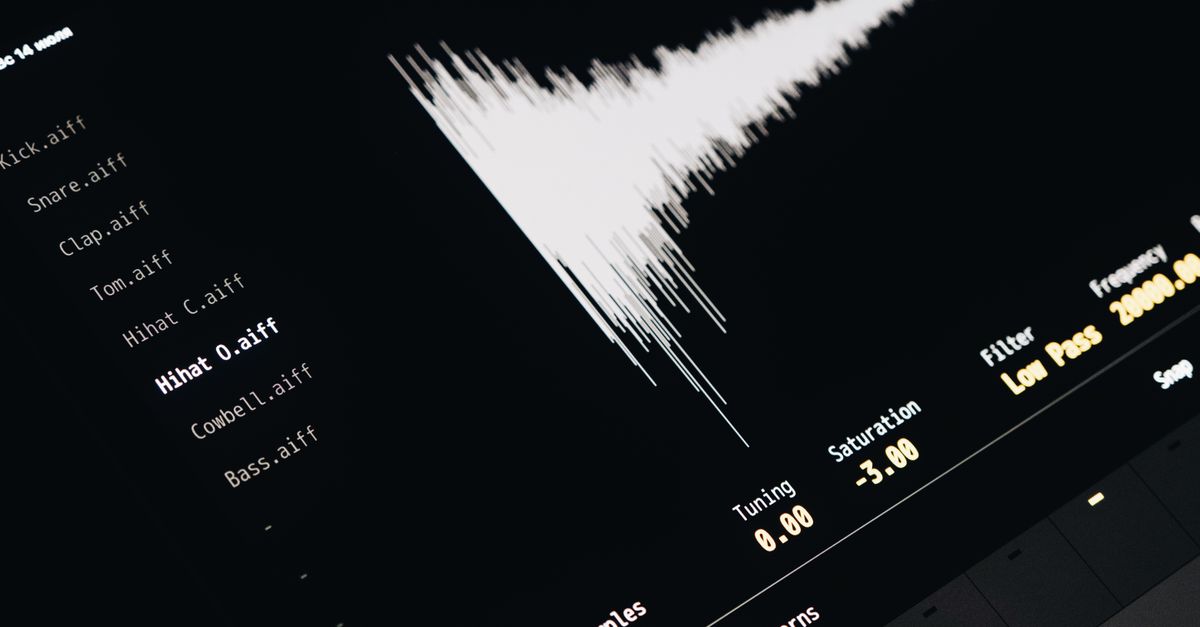
Time runs from left to right, while each vertical line shows the minimum-to-maximum sample range in its bucket. The picture does not calculate frequency content, beats, notes, calibrated loudness, speech, transients, or musical structure. It is therefore not a spectrogram, even though both visuals place audio on two axes.
Two recordings can also have similar visible peaks while sounding very different. Perceived loudness depends on duration, frequency balance, dynamics, and playback conditions. Do not use this SVG to diagnose hearing, equipment problems, clipping history, phase, or mastering compliance.
How stereo and multichannel files appear
Every bucket combines all accepted decoded channels. Its minimum could come from one channel while its maximum comes from another. The tool does not display separate channel lanes, preserve channel identity visually, or average the channels into a new signal. Use an audio editor that exposes each channel as its own track when separate left and right waveforms are required.
Understand dimensions, coordinates, and bounded detail
A short clip does not gain invented measurements merely because the SVG is wide. Its column count remains bounded by its decoded frame count. A long clip remains bounded by the 1,000-column ceiling, which keeps the number of SVG lines manageable.
Bucket boundaries use integer frame indices. The first bucket begins at frame zero, the last reaches the final decoded frame, and intermediate frame indices are not skipped between adjacent ranges. Columns are placed at evenly spaced horizontal centers. The vertical center is half the requested height, and a full-scale positive or negative sample extends to 45 percent of the height above or below that center, leaving a five-percent margin at the top and bottom.
The SVG contains one background rectangle, a group of peak lines, fixed pixel dimensions, and a matching viewBox. Colors come from validated numerical settings rather than filenames or embedded metadata. Vector scaling keeps the display sharp, but extremely large print or editing work may still require different stroke widths or more detailed source data.
Run a final mismatch check
- Confirm that the current file was accepted instead of relying only on its extension or MIME label.
- Compare the reported decoded frame count with the peak-column formula.
- Check the requested width, height, background color, and waveform color in the SVG text.
- Interpret the image only as a combined time-domain peak overview.
- Use a separate-track editor if channel identity or individual channel waveforms matter.
- Download the exact SVG string from the current generation rather than relying on a screenshot or an earlier file.
Stale output is another avoidable problem. Selecting a replacement file, changing an option, generating again, or leaving the page revokes the obsolete object URL, so an older image cannot appear to represent the new inputs. If the preview seems inconsistent, compare it directly with the current SVG inspector before reusing the graphic.