不,在 Killer Sudoku 中檢查未完成的格子並不算犯錯。遊戲會把未完成的檢查視為無害的提醒:填入的空格少於全部 9 格時,按下 Enter 或選擇 Check grid,訊息會告訴你格子尚未完成,但不會記錄任何「已完成嘗試」的錯誤。你可以回到自己的輸入繼續解題。只有當 9 個可編輯格子全都填入數字時,不同的規則才會開始。一個有效的完成格子會恰好獲得 1,000 分,並進入終端完成狀態。如果這 9 個數字有錯,那就是第一次錯誤的完成檢查;此時格子仍可編輯,以便你檢查並修正它。第二次錯誤的完成檢查會使本次遊戲鎖死,直到你使用 Restart 為止。在完成與鎖死這兩種終端狀態下,後續的數字輸入、清除、游標移動以及額外的檢查都不會改變分數或結果。若要直接使用檢查工具,請開啟 Killer Sudoku,從 9 個空格中選一個,然後用數字控制項或對應的按鍵輸入 1 到 9。差別很簡單:部分是提醒與重試;全部才是提交並計算結果。
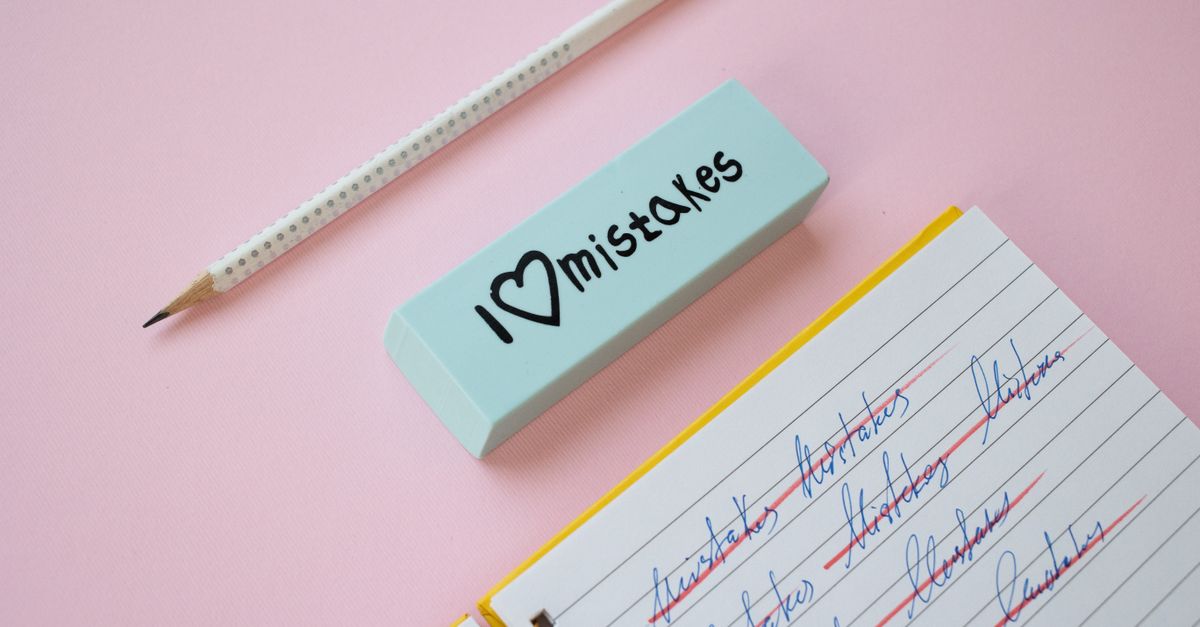
When an incomplete check costs nothing
玩家輸入的這 9 格決定一項檢查是否屬於未完成。只要不是每個可編輯格子都填有數字,選擇 Check grid 或按下 Enter 就只會產生提醒,而不會記錄為「已完成嘗試」的錯誤。這種回饋不會消耗任何犯錯額度,也不會阻止你選取、更改或清除格子。
因此,提早檢查可以安全地當作進度提示。它能告訴你 9 個空格中仍有 1 個或以上需要處理,但這並非完成提交。分數與終端狀態保持不變。只有當格子已有 9 格玩家輸入,而 Check grid 在評估這次完成嘗試時,犯錯才會變得相關。
| Submitted state | What happens | Mistake effect | Available response |
|---|---|---|---|
| Fewer than all nine blanks filled | A reminder says the grid is incomplete | No mistake consumed | Continue entering or editing digits |
| All nine blanks filled and correct | The grid is completed | No mistake | Receive exactly 1,000 points; the result is terminal |
| All nine blanks filled incorrectly on the first full check | The first incorrect completed check is recorded | One repairable error | Inspect and edit the grid, then check again |
| All nine blanks filled incorrectly after one prior incorrect completed check | The run enters a deadlocked state | Second incorrect completed check | Use Restart to begin the fixed puzzle again |
What counts as a completed check
已發布的謎題是一個固定的 9×9 Killer Sudoku,內含 72 個提示數和 9 個空格。只有這 9 格可供玩家編輯。選取提示數並不屬於解題過程;玩家一次填入一個空格,直到 9 格都填滿為止。
在輸入第 9 格之後,下一次 Check grid 動作就不再是未完成提醒。檢查工具會把全部 9 格當作一次完成嘗試來評估。這就是為什麼在按下 Enter 之前先數一下已填空格會有幫助,特別是在使用 Delete 或 Backspace 清除選取之後。
使用鍵盤並不會改變規則。數字鍵可在選定的可編輯格子中輸入一個數字,方向鍵可在可編輯格子之間移動,Backspace 或 Delete 則會清除目前輸入的內容。新數字會覆寫選定的玩家輸入。完成狀態與鎖死狀態都是終端的,因此這些控制項都無法重新開啟或改變任一結果。
Complete and check the nine blanks without spending a mistake
- Open the fixed Killer Sudoku board and locate the nine empty cells among the 72 givens. Treat the printed digits as fixed starting values and the outlined connected groups as cages with target sums.
- Select one editable cell. You can select it with a pointer or touch input, or use an arrow key to move among the editable cells. The selected cell has a visible focus outline, and each editable cell is a button with a row-and-column accessibility label.
- Compare that blank with its row, column, and bold 3 by 3 box. Remove from consideration any digit already present in one of those ordinary Sudoku units.
- Check the cell's cage. Its target must equal the sum of its digits, and a digit cannot repeat inside that cage. Use the cage as a second constraint rather than relying on the target alone.
- Enter the remaining candidate with an on-screen 1 through 9 control or the matching number key. If the selected cell is empty, this places the digit in that editable position.
- Move to another blank and repeat the row, column, box, and cage checks. The fixture has one blank in each row, so many placements can be compared directly, while the cage arithmetic provides an additional test.
- Count the player entries before checking. If one or more of the nine blanks is empty, press Enter or choose Check grid for a harmless reminder. If all nine blanks contain a digit, the same action submits the completed grid.
- Read the result. A correct full grid earns exactly 1,000 points and cannot be changed afterward. After the first incorrect completed check, repair the entries and check again. If the next full check is also wrong, use Restart because the run is deadlocked.
For a separate illustration of the cage method, imagine a three-cell cage with a target of 15, two distinct known digits of 6 and 4, and one blank. The arithmetic route is 15 - 6 - 4 = 5, so the remaining candidate is 5. Before entering 5, confirm that it does not repeat a digit already in the cage and that it fits the cell's row, column, and box. This 15, 6, and 4 example demonstrates the calculation only; it is not a target or solution claim about the product's fixed board.
Use every clue to protect a completed check
一個有效的擺放必須同時通過兩種不同的約束系統。首先,它必須符合一般 Sudoku 的擺放規則:每一列、每一行以及每個粗體 3×3 宮中,1 到 9 每個數字都剛好出現一次。其次,每個相連的籠必須達到其顯示的目標總和,且同一籠內不能有重複的數字。因此,某個數字從單一列來看或許合理,在其他地方仍可能無效。
熟悉的列、行、宮模型也可參考 Nikoli 的 Sudoku 指南。公開的 Killer Sudoku Online 規則頁則提供了更多關於將這些擺放規則與籠總和結合的背景說明。這些連結說明的是公開的規則概念;本站的盤面、提示數、籠、解以及檢查工具皆由產品自行設計並獨立驗證。
對於一個含兩個已知數字與一個空格的籠,可用減法得出剩下的總和。例如,一個較小的目標值即便在提議的數字不會與同列中任何數字重複時,仍可能暴露出算術上的不一致之處。在算術檢查通過後,請再次檢查一般的 Sudoku 單位。若某個候選數字雖能讓籠總和成立,卻在所屬的列、行或宮中重複,它仍然是錯誤的。
在接近尾聲時,只檢查單一單位尤其冒險。由於謎題只有 9 個可編輯格子,大多數的錯誤可能只牽涉少數幾格,但每次完成檢查都會評估整個完整格子。請把每一列、每一行、每一宮以及每一籠都視為必要的交叉檢查,而非可有可無的提示。
Recover from a wrong completed submission
第一次錯誤的完成檢查並不會結束遊戲。格子仍可編輯,你可檢查列、行、宮與籠,並更正輸入。使用 Backspace 或 Delete 清除有疑問的格子,重新選取,再用數字控制項或對應按鍵輸入不同的數字。你也可以在檢視整個盤面的同時,用方向鍵在可編輯格子之間移動。
成功的修正有可能達成一個有效的完成格子。一旦這 9 個輸入通過完整約束,正確完成將恰好獎勵 1,000 分。完成狀態是終端的,因此後續的清除、游標變更、數字輸入或額外檢查都不會改變該結果。
修正的機會是有限的。如果第一次錯誤的完成檢查之後又出現第二次錯誤的完成檢查,本次遊戲就會鎖死。此時,進一步的輸入與檢查都無法改變犯錯次數、分數、回饋或終端狀態。請使用共用的 Restart 控制項來重置本次遊戲。
Restart 會清除全部 9 個玩家輸入、犯錯次數、回饋、分數與終端狀態。它保留相同的已發布提示數,而非以隨機謎題取代。固定的呈現方式讓你能以乾淨的狀態再次套用相同的犯錯政策:解開 9 個空格、放心使用未完成的檢查,並把完成嘗試的後果保留給整格檢查。
Why the published board is consistent
此 Killer Sudoku 使用一組穩定的固定盤面,而非隨機產生的盤面。謎題將全部 81 格劃分為 27 個不重疊、正交相連的三格籠。每個籠的目標值與其對應解答數字的總和相符,且同一籠內的解答數字不會重複。
完成的 Sudoku 解會被獨立檢查,籠的配置則會以完整分割的方式進行測試,而非僅由陣列順序假設而來。正交相連性會透過相鄰格子加以驗證。這種驗證相當重要,因為一個看似有效的目標值仍可能被附加到錯誤的格子集合上,而重疊或不連通的籠也無法提供可靠的推論依據。
唯一性也會被明確驗證。一個獨立的回溯計數會從已發布的 72 個提示數出發,在測試候選數字時同時套用 Sudoku 規則以及部分與完整的籠檢查。釋出的固定盤面必須產生剛好一個完整解答。光是檢視可見的提示數並不足以假設剩下的輸入是明確的。
這種固定且經過驗證的路徑,為犯錯政策提供了清楚的界線。未完成的檢查仍然是提醒,第一次錯誤的完成檢查允許修正,而第二次錯誤的完成檢查則會鎖死本次遊戲。檢查工具並不是在評判一批隨機的謎題;它評估的是這個可重現的 9 格完成。
What the 1,000-point result measures
A correct completed grid earns exactly 1,000 points. Incomplete checks do not award that completion score. The first wrong full submission does not remove the score earned elsewhere, because the game is scored when a valid full grid is completed; its function is to identify one repairable completed-attempt error. A second wrong full submission deadlocks the run until Restart.
The game is intended as casual entertainment and transparent logic practice. Its score shows only that this fixed fixture was completed under the stated two-error route. It is not a standardized intelligence, educational, aptitude, psychological, or clinical assessment and should not be used to compare people or make decisions about learning, employment, health, or ability.
If you're weighing options, Avoid Common Mistakes in the Simultaneous Reaction Game covers this in detail.
If you're weighing options, Avoid Common Mistakes in Number Sequence Quiz covers this in detail.